Data Plane
Unifies disparate enterprise systems into a single Virtual Data Layer (VDL) so every entity is queryable through one API regardless of where it lives.
For platform-overview framing see Platform Architecture > Data Plane. For the FDW vs ETL vs CDC decision framework see AI Operating System > Data Sources.
Capabilities
- Single virtual entity API — every connected system is queried the same way.
- Three hydration mechanisms — pick FDW, ETL, or CDC per source based on latency and payload shape.
- Connector catalogue — Salesforce, Oracle ERP, SAP S/4HANA, Google Drive, Office 365, Webex, Knowledge Base, Langflow, plus a generic external-systems writeback channel.
- Simulator mode — swap any live source for an in-memory simulator without code changes.
- Live row preview — inspect resolved rows for any virtual entity from inside the console.
Hydration Mechanisms
- FDW Connectors — live federated reads against transactional systems of record (millisecond latency). Use for Salesforce, Oracle ERP, SAP S/4HANA, BSSMagic CRM.
- ETL Pipelines — bulk ingest, transform, and enrich file or document sources (minutes-to-hours latency). Use for Google Drive, file uploads, market signals, sustainability reports.
- Change Data Capture (CDC) — streaming incremental changes from operational systems (sub-second latency). Use for Kafka / Debezium event streams and transactional change feeds.
Data Flow
graph LR
    subgraph Sources["Enterprise Systems"]
        SF["Salesforce"]
        OR["Oracle ERP"]
        SAP["SAP"]
        GD["Google Drive"]
        Files["File Uploads"]
        Streams["Event Streams"]
    end

    subgraph Hydration["Hydration Mechanisms"]
        FDW["FDW Connectors<br/>Live federated query"]
        ETL["ETL Pipelines<br/>Batch ingest"]
        CDC["Change Data Capture<br/>Streaming sync"]
    end

    subgraph DataPlane["Data Plane"]
        VDL["Virtual Data Layer"]
        DS["Data Source Registry"]
    end

    SF --> FDW
    OR --> FDW
    SAP --> FDW
    GD --> ETL
    Files --> ETL
    Streams --> CDC
    FDW --> VDL
    ETL --> VDL
    CDC --> VDL
    VDL --> DS
Console Walkthrough
Six tabs cover the hydration lifecycle.
Data Sources
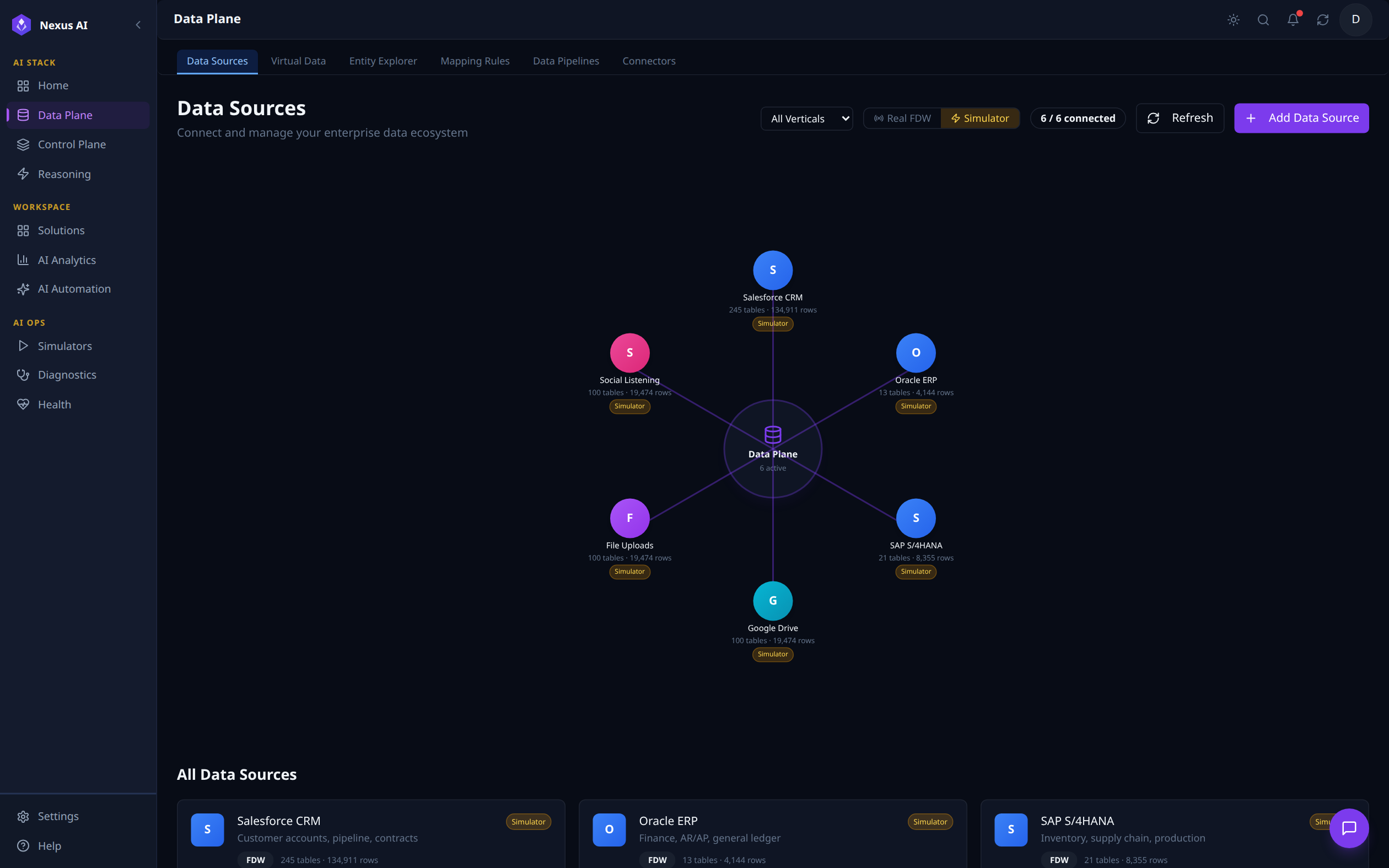
- Filter by vertical and toggle between Real FDW and Simulator modes.
- Per-source health status and last-sync indicators.
- Add a new source from the toolbar.
Virtual Data
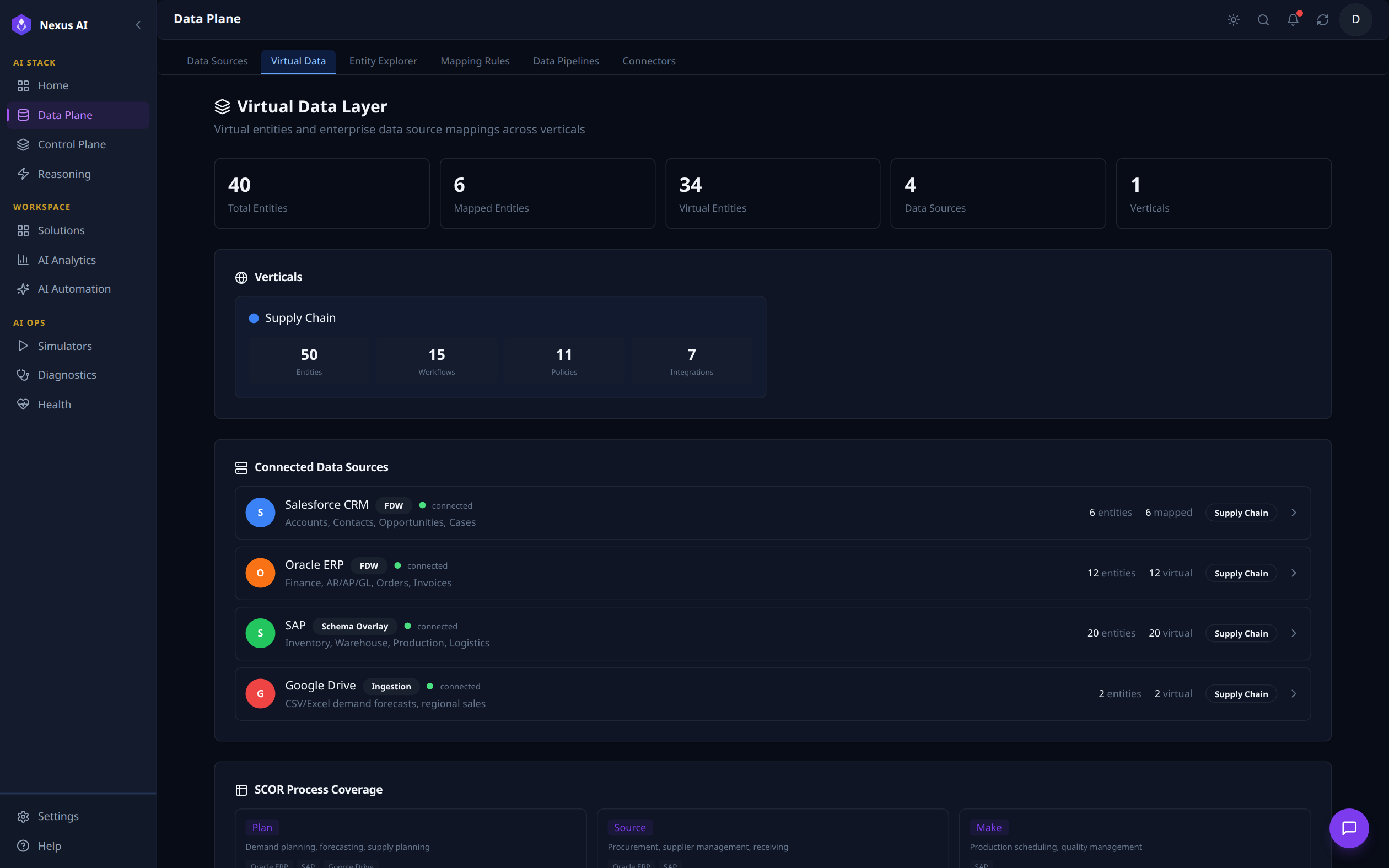
- Per-vertical breakdown of entity, workflow, policy, and integration counts.
- Per-source integration mode shown at a glance: FDW, Schema Overlay, or Ingestion.
Entity Explorer
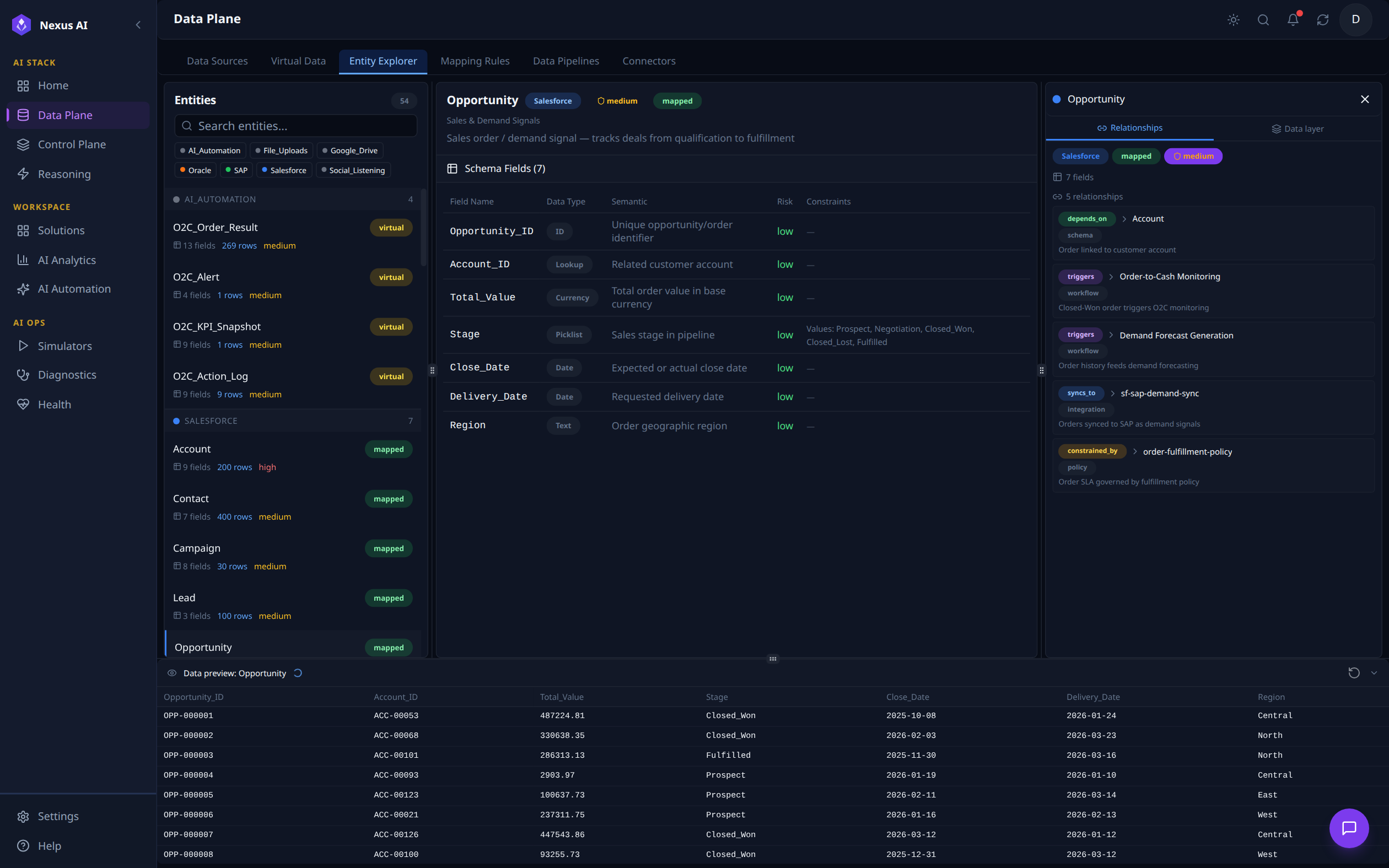
- Entities grouped by source system, tagged as virtual or mapped.
- Schema fields with data type, semantic, risk class, and constraints.
- Typed relationships (
depends_on,triggers,syncs_to,constrained_by).
Mapping Rules
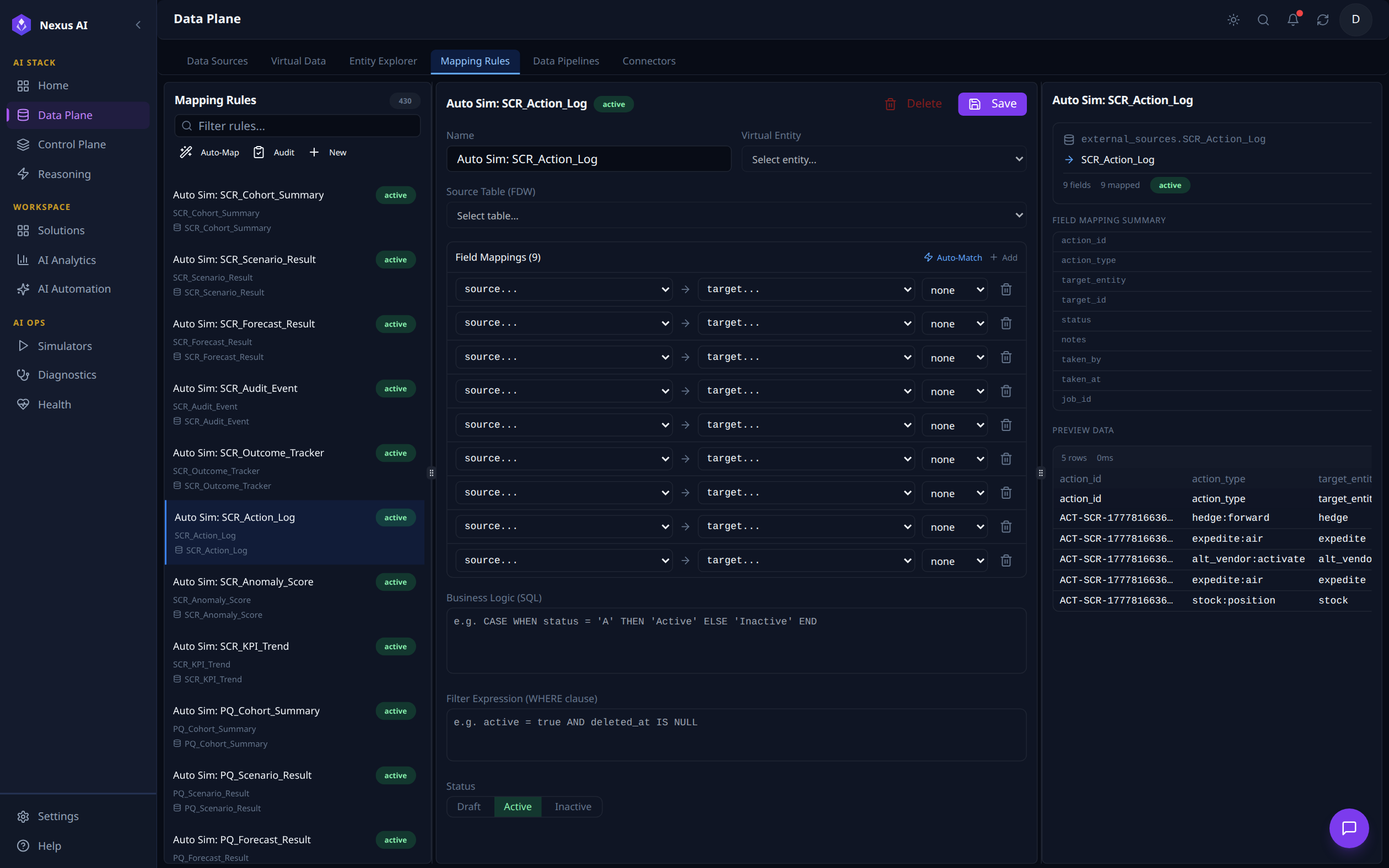
- Rule list grouped by source with Auto-Map, Audit, and New Rule quick actions.
- Per-rule editor: virtual entity, source table, field mappings, business logic SQL, filter expression, status.
- Live preview of resolved rows.
Data Pipelines
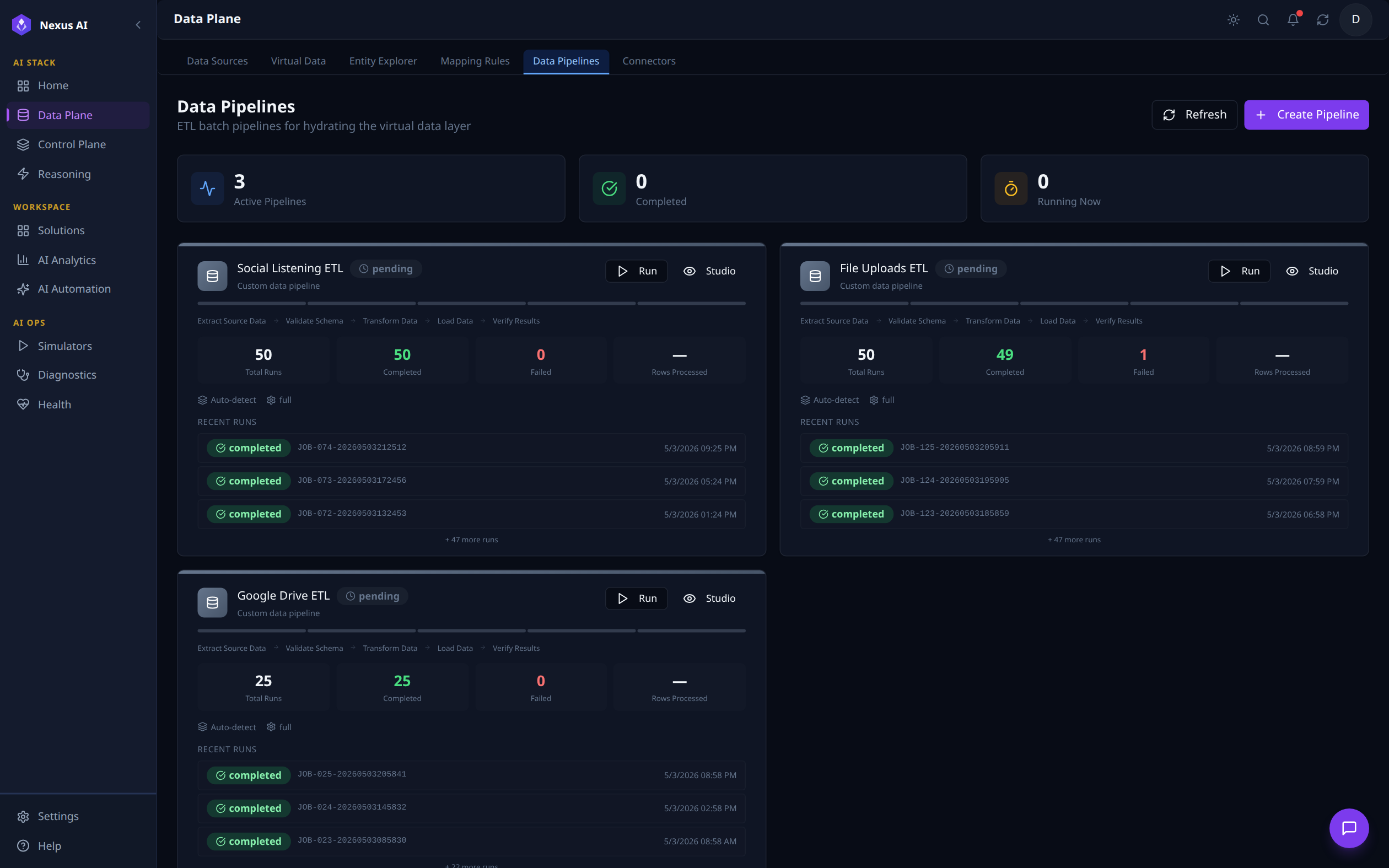
- Stage flow per pipeline: Extract → Validate → Transform → Load → Verify.
- Active / Completed / Running counters and recent run history.
Connectors
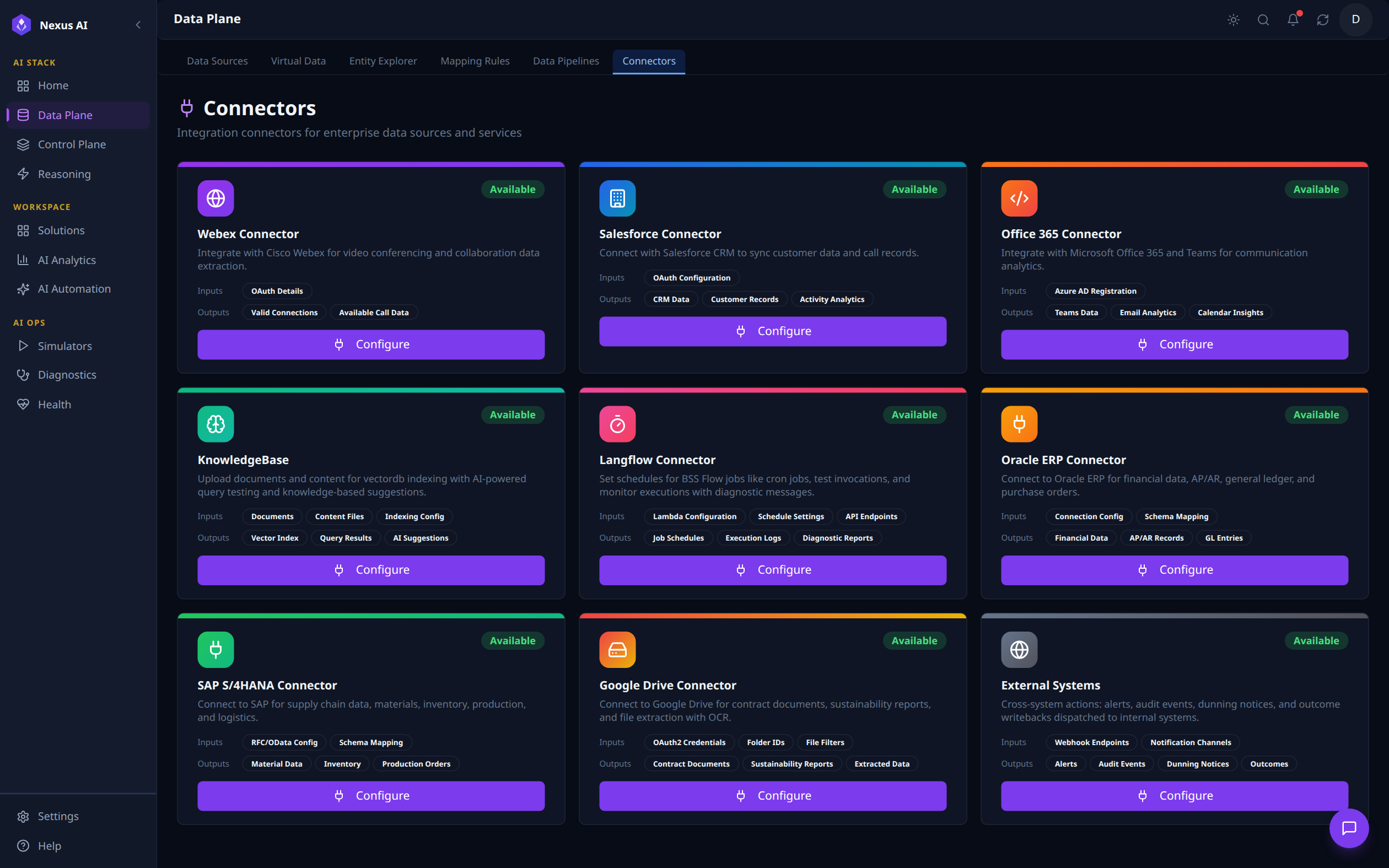
- Each card lists configuration inputs and produced outputs.
- One-click
Configureto wire a connector into the platform.
Related References
- Data Sources — FDW vs ETL vs CDC decision framework.
- Implementation Guide — production code mapping (FDW services, BSSMagic CRM operations, REST endpoints).
- SFDC Simulator — mock CRM source for offline development.
- Control Plane — the semantic layer that consumes the VDL.