Solutions Catalogue
The Solutions layer is the app catalogue that sits on top of the three planes. Each Solution is a pre-built, vertical-aligned enterprise application powered by the Semantic Ontology Layer — bundling the entities, KPIs, dashboards, and journeys needed to operate one slice of the business end to end.
For platform-overview framing see Platform Architecture > Solutions.
Capabilities
- Solution Card — name, description, setup time, entity count, KPI targets, and source-data dependencies.
- Vertical Filter — chips by domain (Finance, Planning, Operations, Risk, Revenue, ESG).
- Priority Badge — rollout priority (P0, P1) signalling which Solutions to deploy first.
- KPI Targets — headline metrics each Solution moves.
- Source Data Tags — ontology entities the Solution consumes.
- Open App — one-click launch into the Solution's workspace, where its mapped Views become the left navigation.
Catalogue Tab
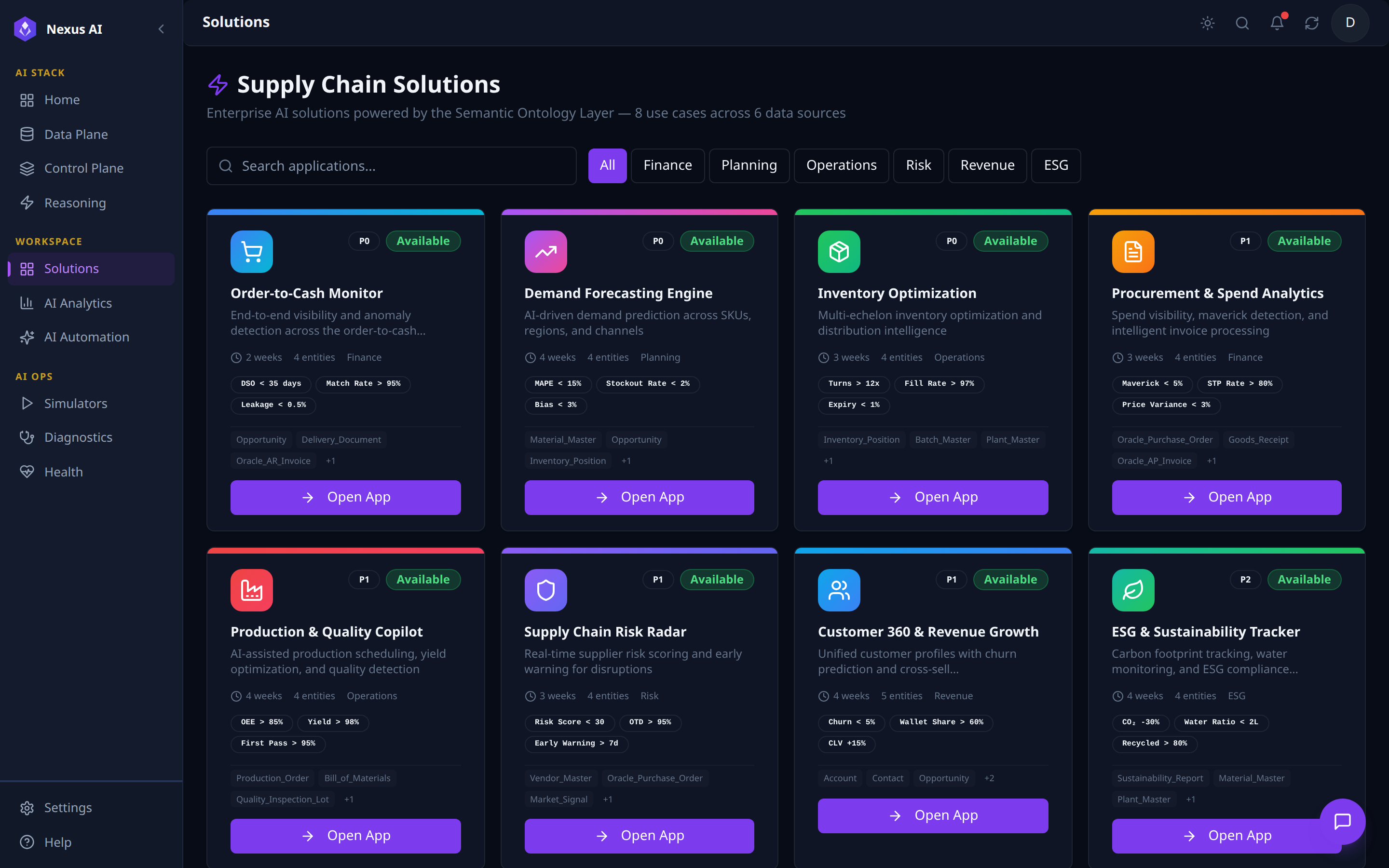
- Vertical chips and free-text search across the catalogue.
- Per-card: icon, priority, status, setup time, entity count, headline KPI targets, source-entity chips.
Open Applaunches the Solution's workspace.
Solution App Example — Order-to-Cash Monitor
Each Solution opens into a dedicated workspace with a left nav grouped into Analytics, Views, and Workspace, plus a top Manage Views / Run Journey action bar. Every Solution follows the same shell, parameterised by its ontology entities, KPI targets, and journeys.
Analytics — Business Insights (Solution home)
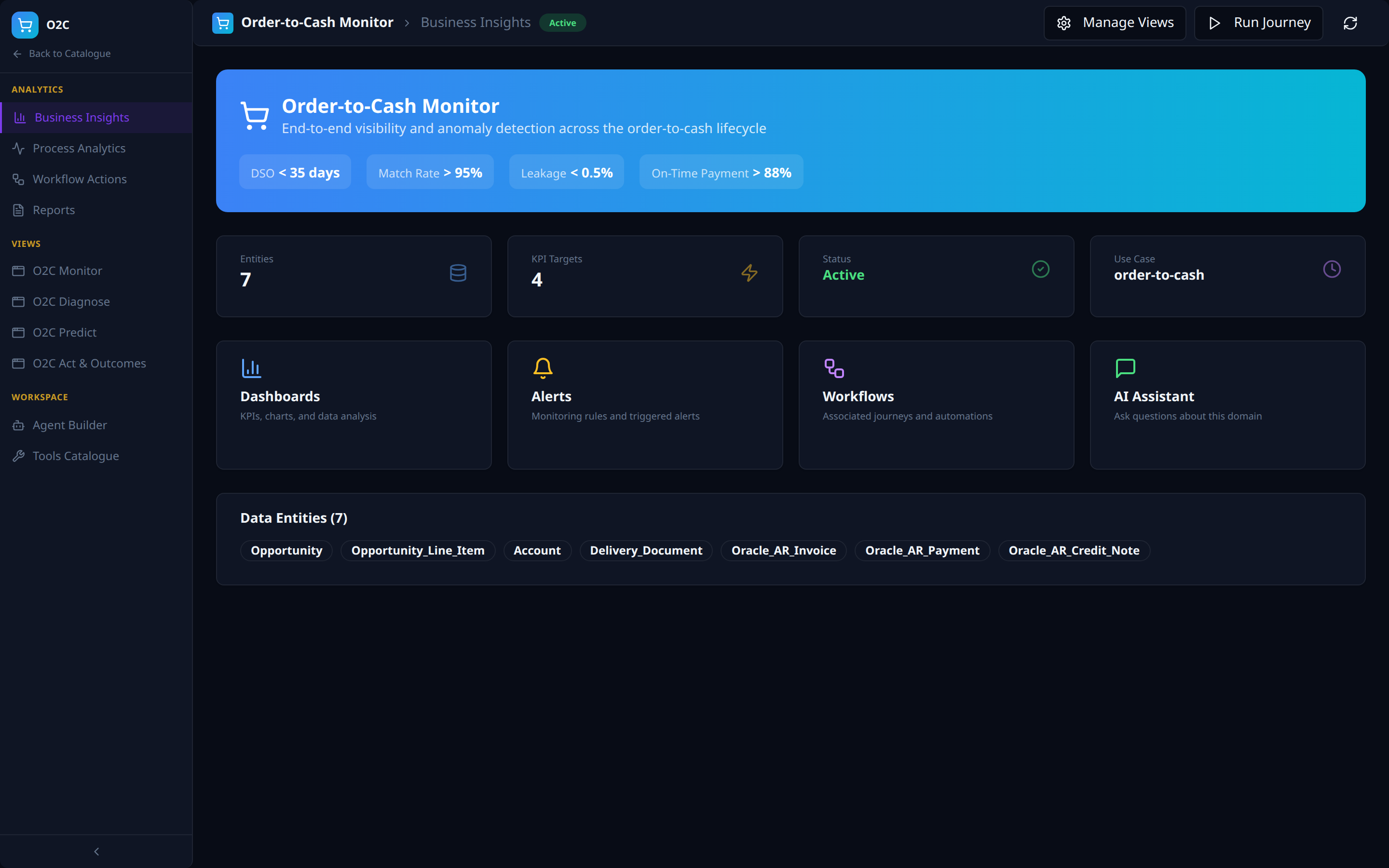
- Hero KPI strip with use-case targets.
- Stat tiles and capability cards (Dashboards, Alerts, Workflows, AI Assistant) as quick entry-points.
- Data Entities strip listing every consumed ontology object.
Analytics — Process Analytics
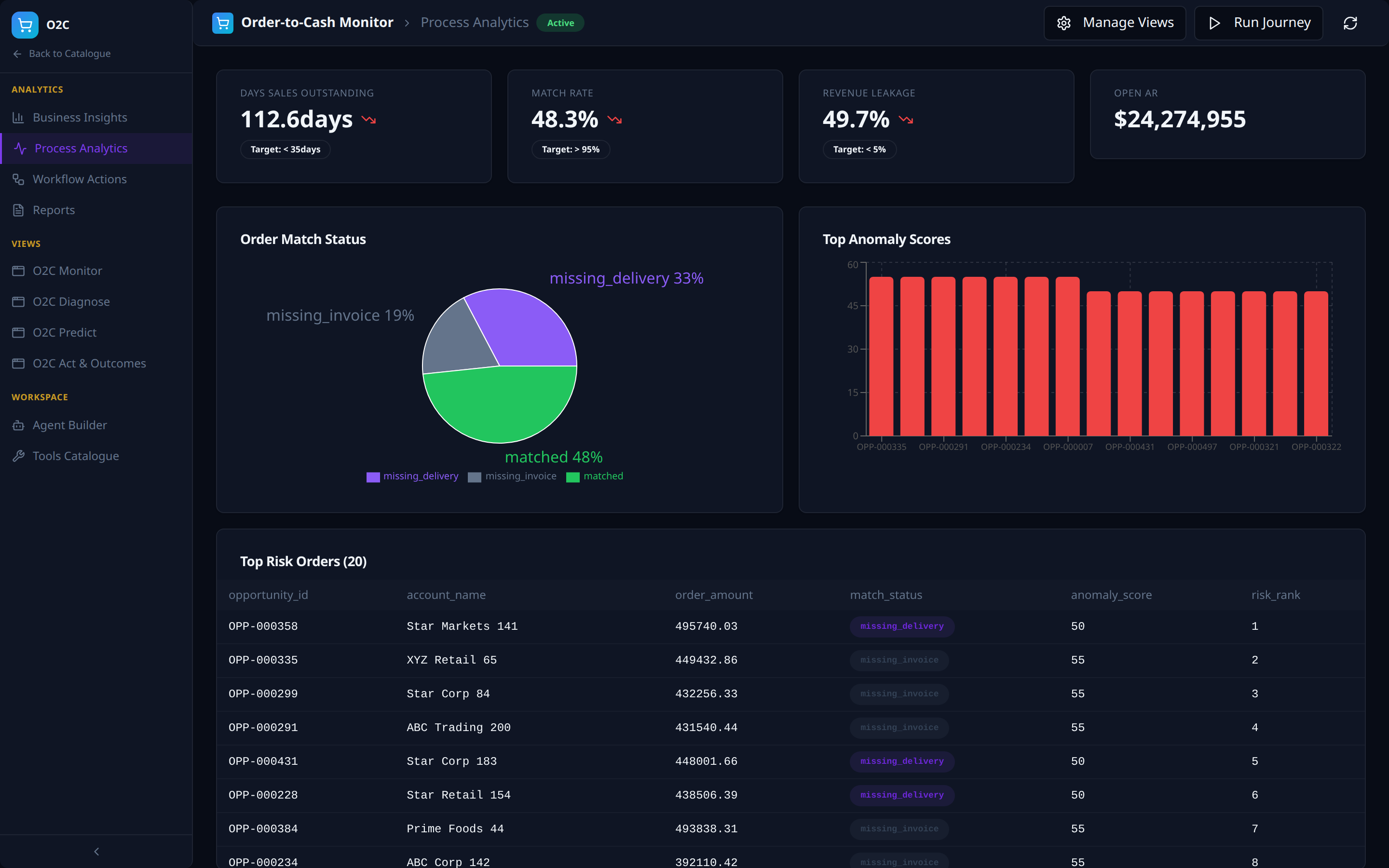
- KPI tiles with actuals, deltas, and target thresholds.
- Composition charts and a top-risk drill-down table.
Analytics — Workflow Actions
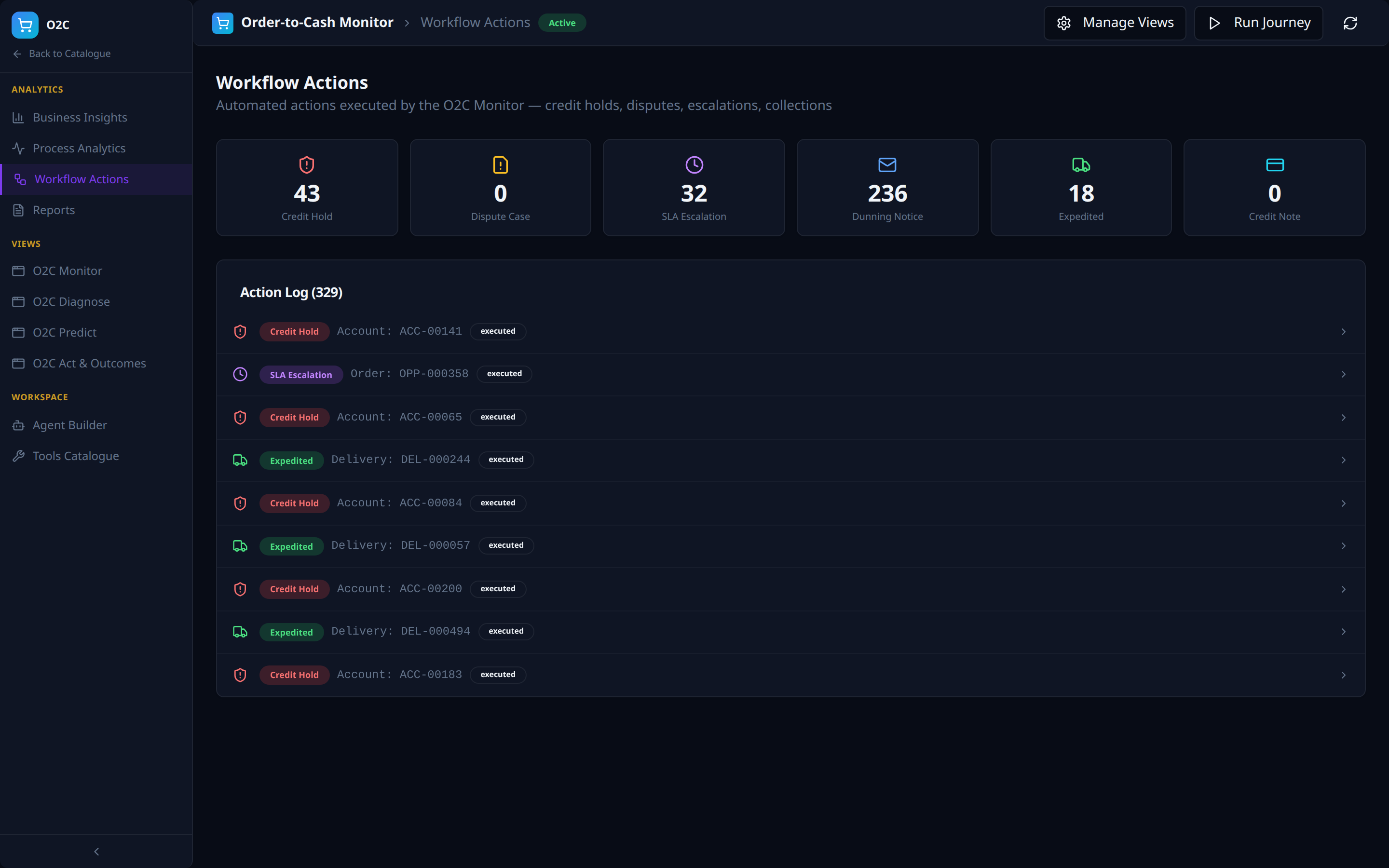
- Per-action-type counters (Credit Hold, Dispute Case, SLA Escalation, Dunning, Expedited, Credit Note).
- Action log with type, target entity, and status.
Analytics — Reports
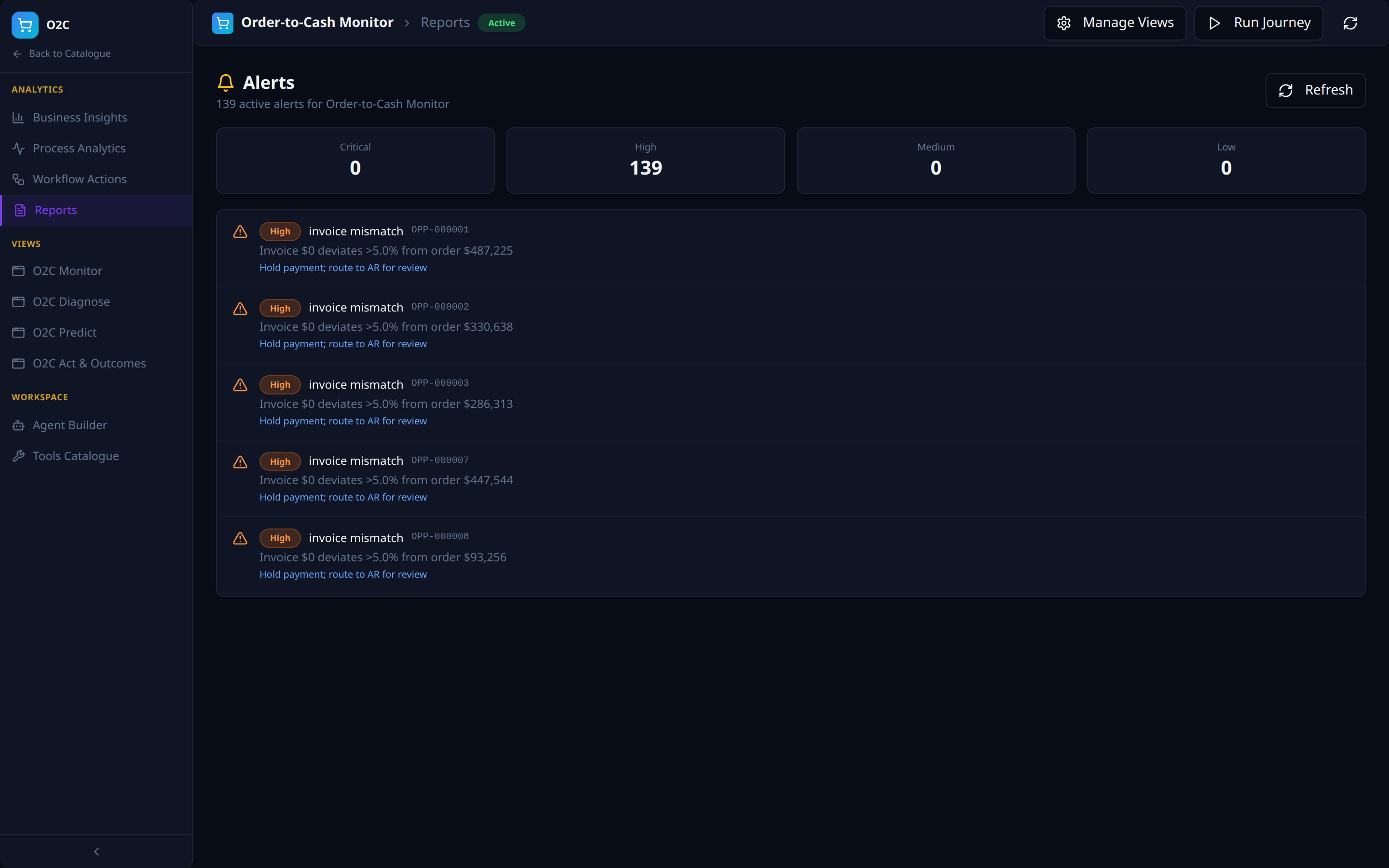
- Severity counters (Critical / High / Medium / Low).
- Scrollable alert feed with type, target, deviation, and remediation.
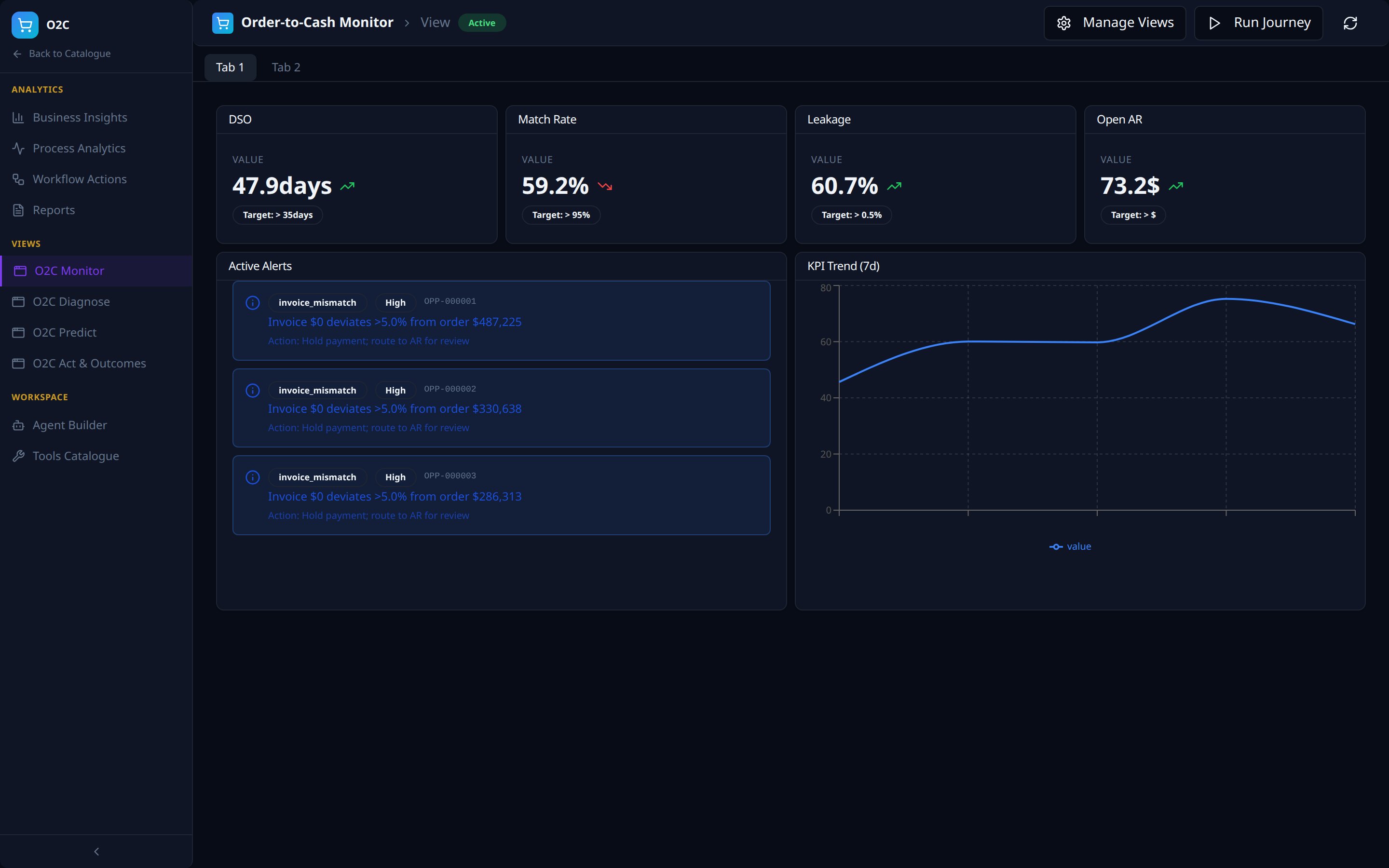
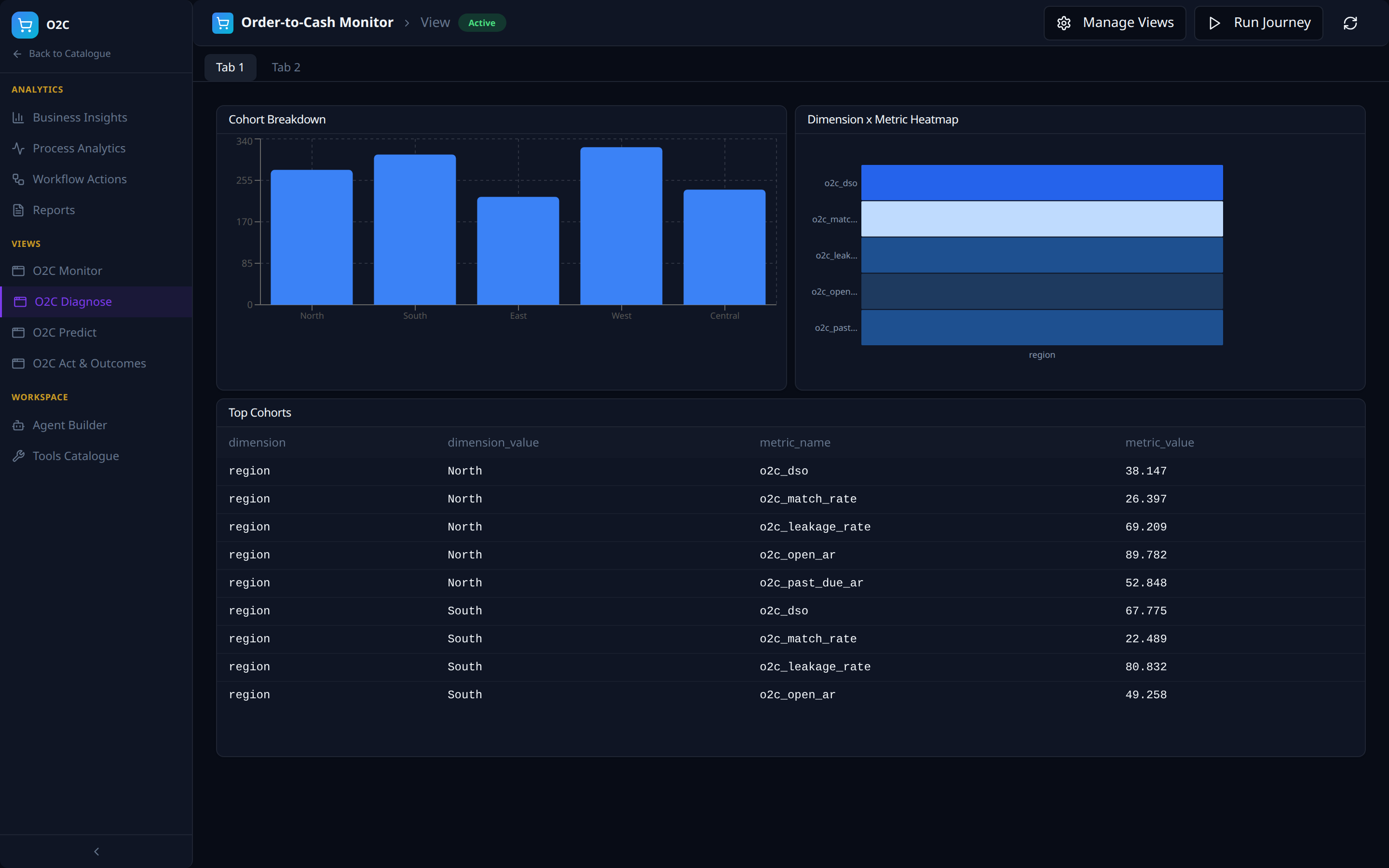
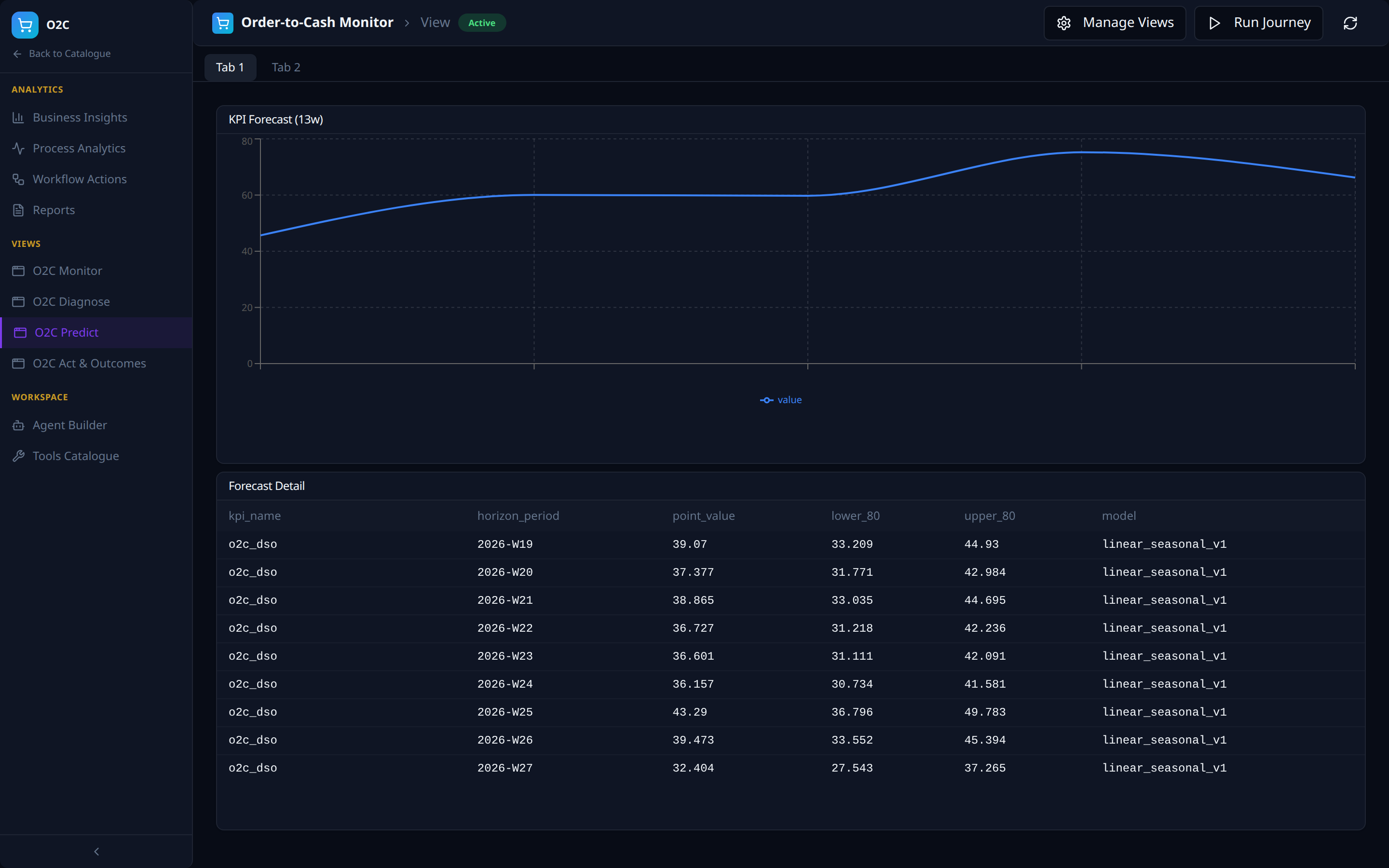
Views — the Four-Views Framework, Instantiated
The four auto-seeded Views (outcomes / predict / diagnose / monitor from AI Analytics) appear as left-nav items.
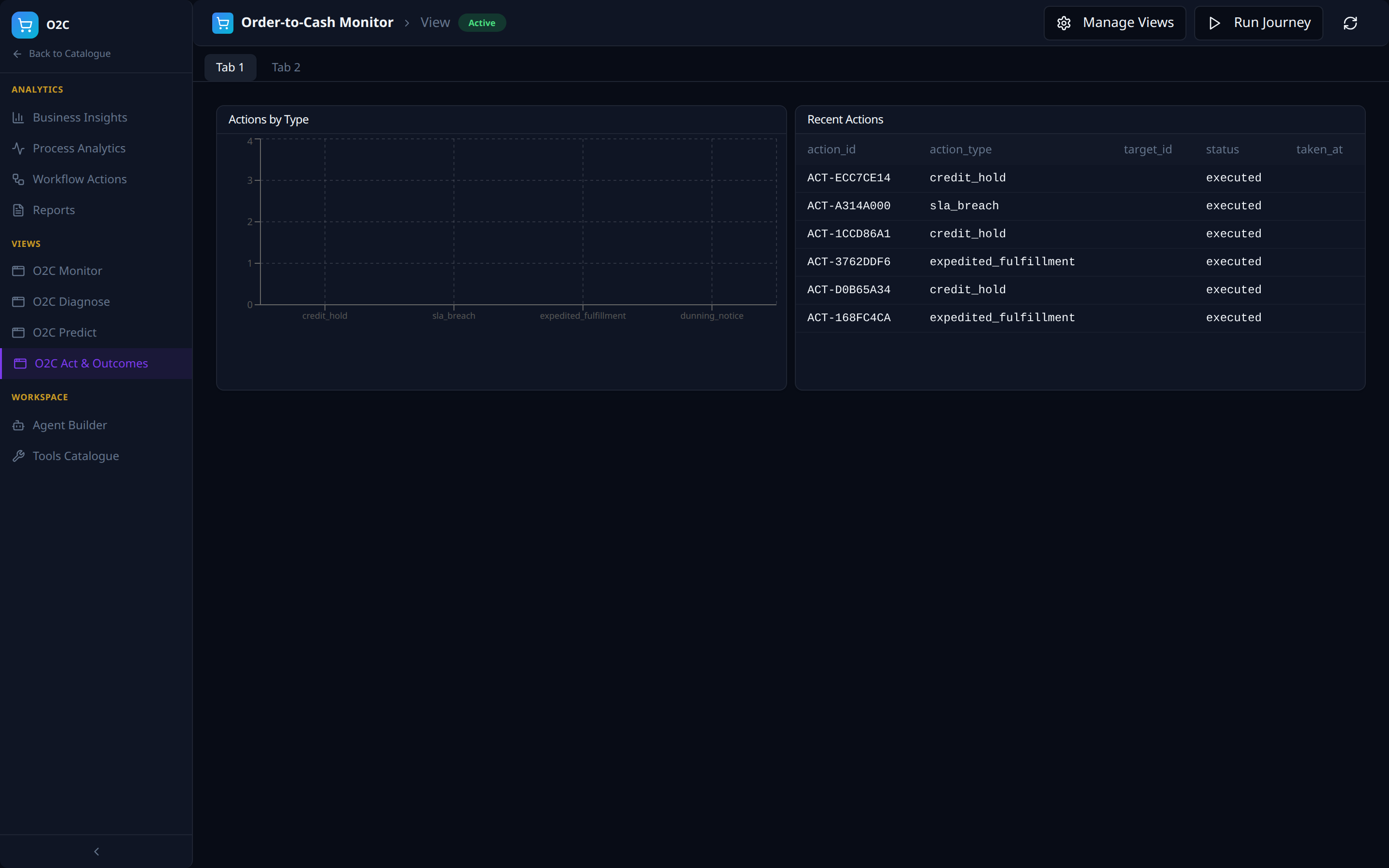
Workspace — Agent Builder
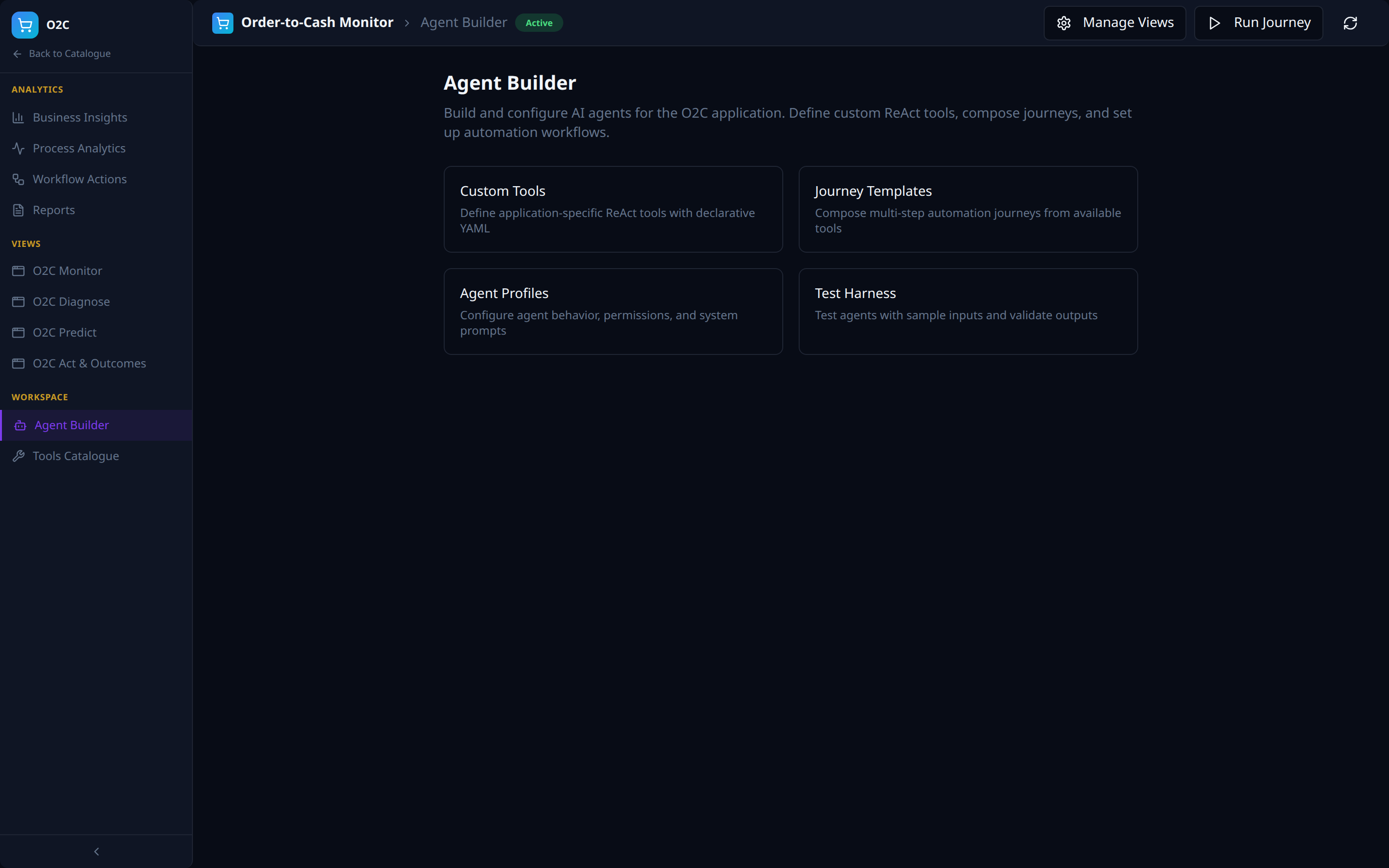
- Custom Tools — declare ReAct tools as YAML.
- Journey Templates — compose automations.
- Agent Profiles — behaviour, permissions, system prompts.
- Test Harness — sample-input validation.
Workspace — Tools Catalogue
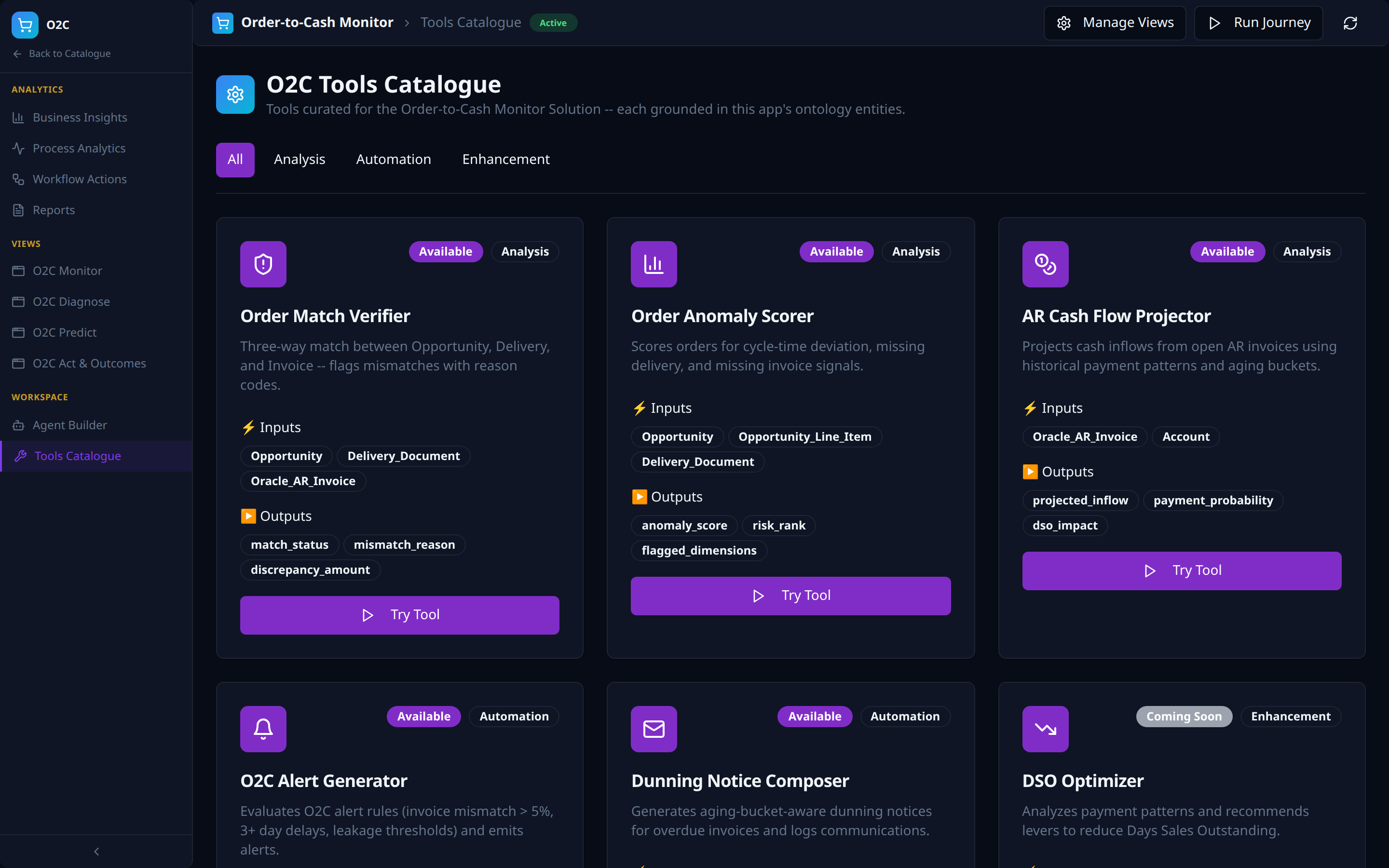
- App-curated — only tools relevant to the Solution surface.
- Tool-type tabs (Analysis, Automation, Enhancement) derived from populated tools.
- Each card: typed inputs / outputs, availability, and a
Try Toolaction.
Browsing the Full Vertical Catalogues
Each industry vertical has its own Solutions catalogue, ontology, and per-Solution apps:
- Supply Chain — Demand Forecasting, Inventory Optimisation, Order-to-Cash Monitor, Supply Chain Risk, Customer 360, Procurement, Production & Quality, ESG.
- Finance & Banking — Customer 360, Credit Risk, Fraud Detection & AML, Regulatory Compliance, Treasury, Loan Lifecycle, Revenue Optimisation, Operational Risk.
- Telecommunications — Customer 360 & Churn, Network Performance, Revenue Assurance & Fraud, Customer Experience, Network Capacity, Dynamic Pricing, Field Operations, Regulatory Compliance.
- Retail — Customer 360 & Loyalty, Demand Forecasting, Personalisation, Price Optimisation, Inventory & Fulfilment, Store Operations, Supplier & Merchandising, Sustainability.
- Healthcare — Patient 360, Clinical Decision Support, Revenue Cycle, Operational Efficiency, Population Health, Supply Chain & Pharmacy, Clinical Quality, Regulatory Compliance.
- Customer Operations — Autonomous Issue Resolution, Proactive Agent Assist, Unified Operations Hub.
- Revenue Operations — Deal Intelligence, Pipeline Risk Forecasting, Revenue Orchestration.
Related References
- AI Analytics — the four-views framework and Solution Mapping that drive each Solution's left navigation.
- AI Automation — the Journey runtime that powers each Solution's Workflow Actions.
- Control Plane — where each Solution's ontology lives.
- Data Plane — where the entities each Solution consumes are hydrated.