AI Automation
The journey engine — the runtime that turns reasoning into repeatable, scheduled, multi-step business operations. Where the Reasoning Plane handles ad-hoc agentic queries, AI Automation handles the production workflows: scheduled ETL, semantic RAG indexing, and per-Solution operational journeys.
For platform-overview framing see Platform Architecture > AI Automation.
Capabilities
- Journeys — multi-step pipelines with persistent run history, success / failure metrics, and audit trail.
- Journey Templates — pre-wired starters per Solution and per pipeline type (Semantic RAG, O2C, Demand Forecasting, Inventory Optimisation, Procurement, Production & Quality, Supply Chain Risk, Customer 360, ESG).
- AI Copilot Journey — natural-language journey planner that drafts a journey from a goal description.
- Journey Builder — visual drag-and-drop builder with a typed Tool Palette, Step Editor, and validate / save / run controls.
- Triggers — Manual / Schedule / Webhook execution modes.
- Tool Palette — categorised, searchable catalogue of registered tools (Core, Supply Chain, O2C, Write, ...) the journey can call.
Journey Lifecycle
graph LR
    Author["Author<br/>(Builder or AI Copilot)"] --> Validate["Validate"]
    Validate --> Save["Save"]
    Save --> Trigger["Trigger<br/>Manual / Schedule / Webhook"]
    Trigger --> Run["Run<br/>Step-by-step execution"]
    Run --> Observe["Observe<br/>Jobs / Done / Running / Failed"]
Observe --> Audit["Audit Trail"]Walkthrough
Three tabs cover operations, conversational authoring, and visual authoring — plus a per-journey Journey Studio drill-down reached from any Journey card.
Journeys
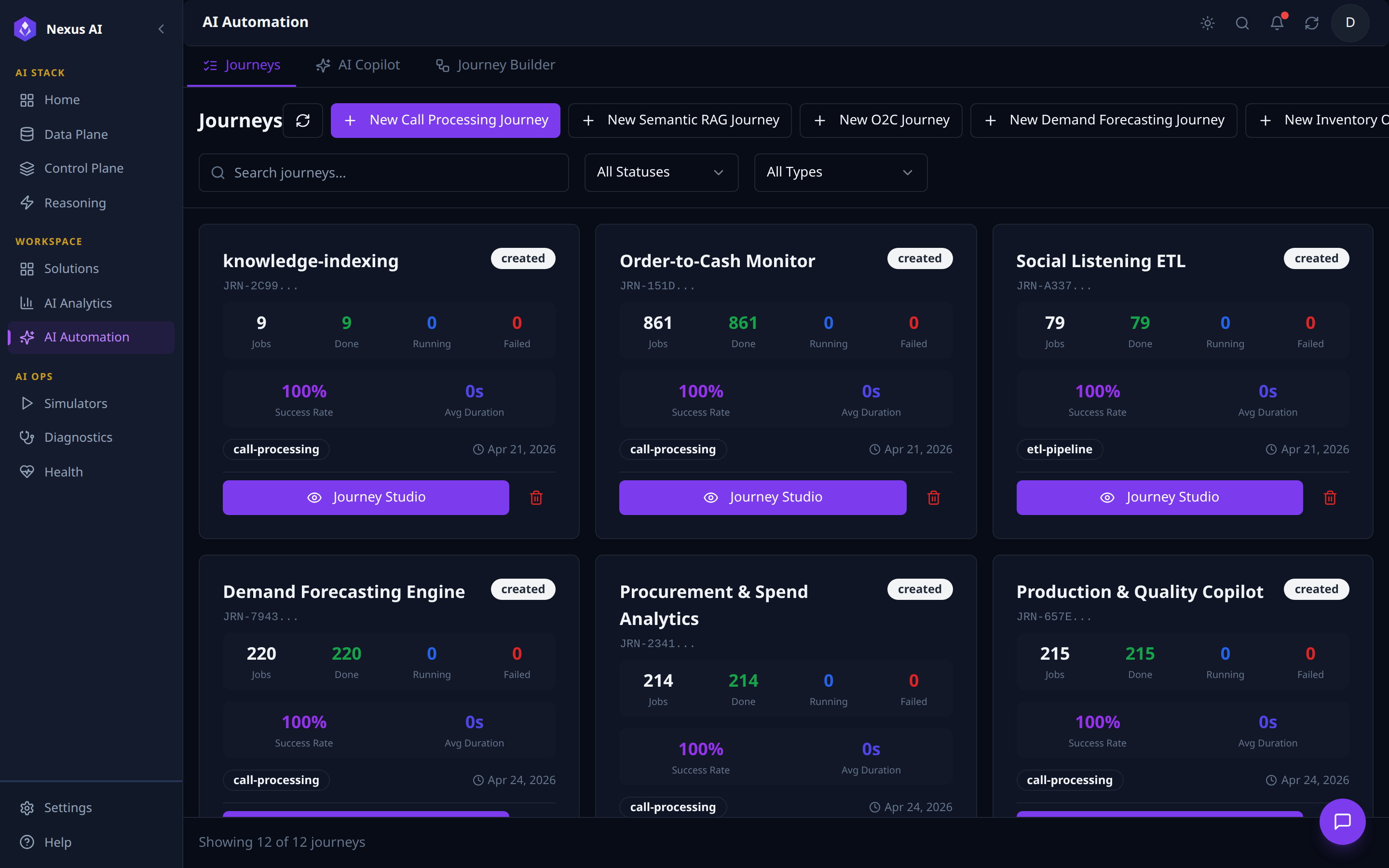
- Templates — one
+ New … Journeyper pipeline type (Semantic RAG plus one per Solution). - Filters — status, type, free-text search.
- Per-card: JRN-id, type chip, status badge, run counters, success rate, average duration.
- Drill-in —
Journey Studioopens the per-journey operations console.
AI Copilot Journey
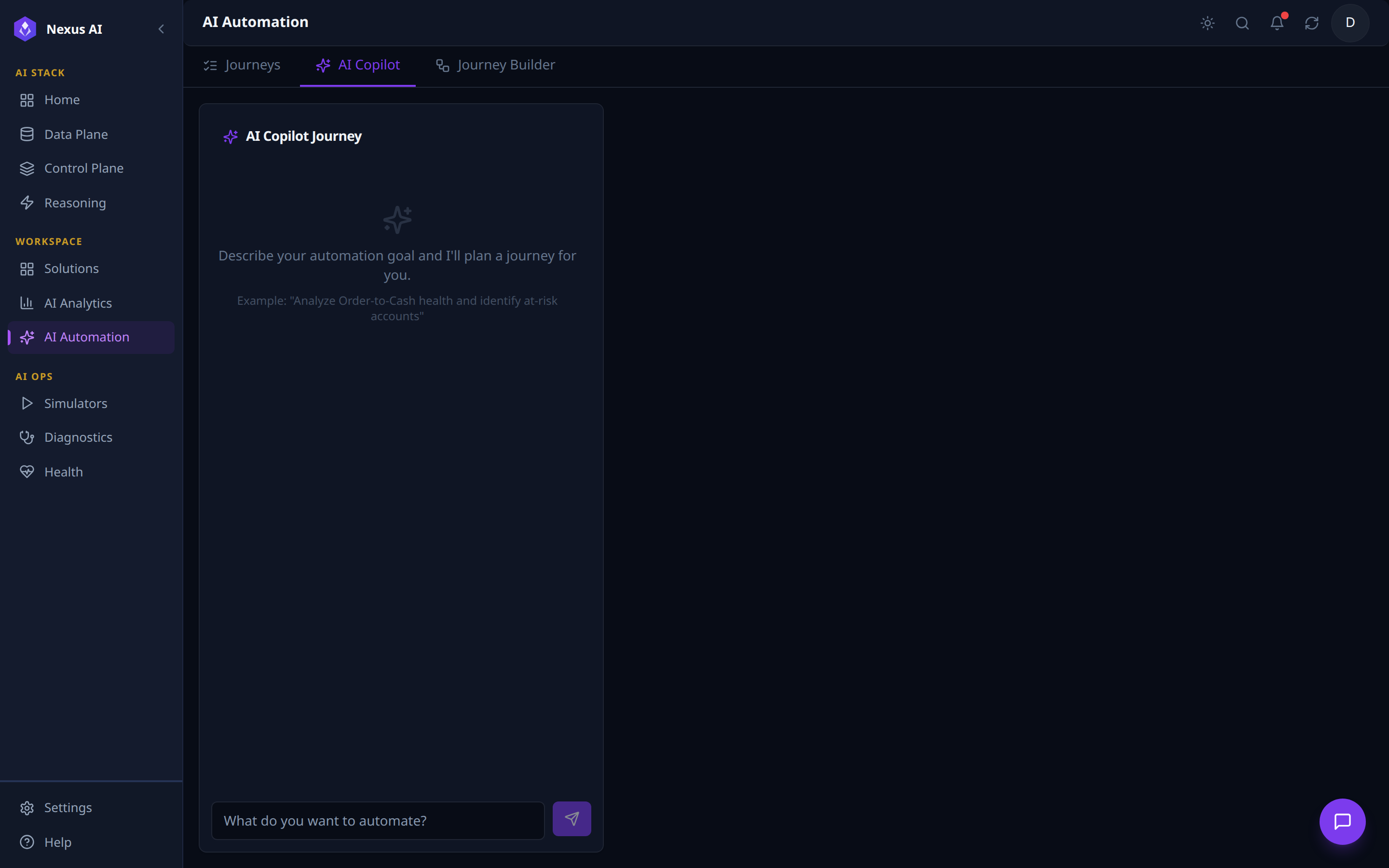
- Natural-language input — describe the goal, get a draft journey back.
- Output is a draft journey of typed steps, ready for refinement in the Journey Builder before save / run.
- Same tool registry as the visual builder — the Copilot is a planner, not a separate engine.
Journey Builder
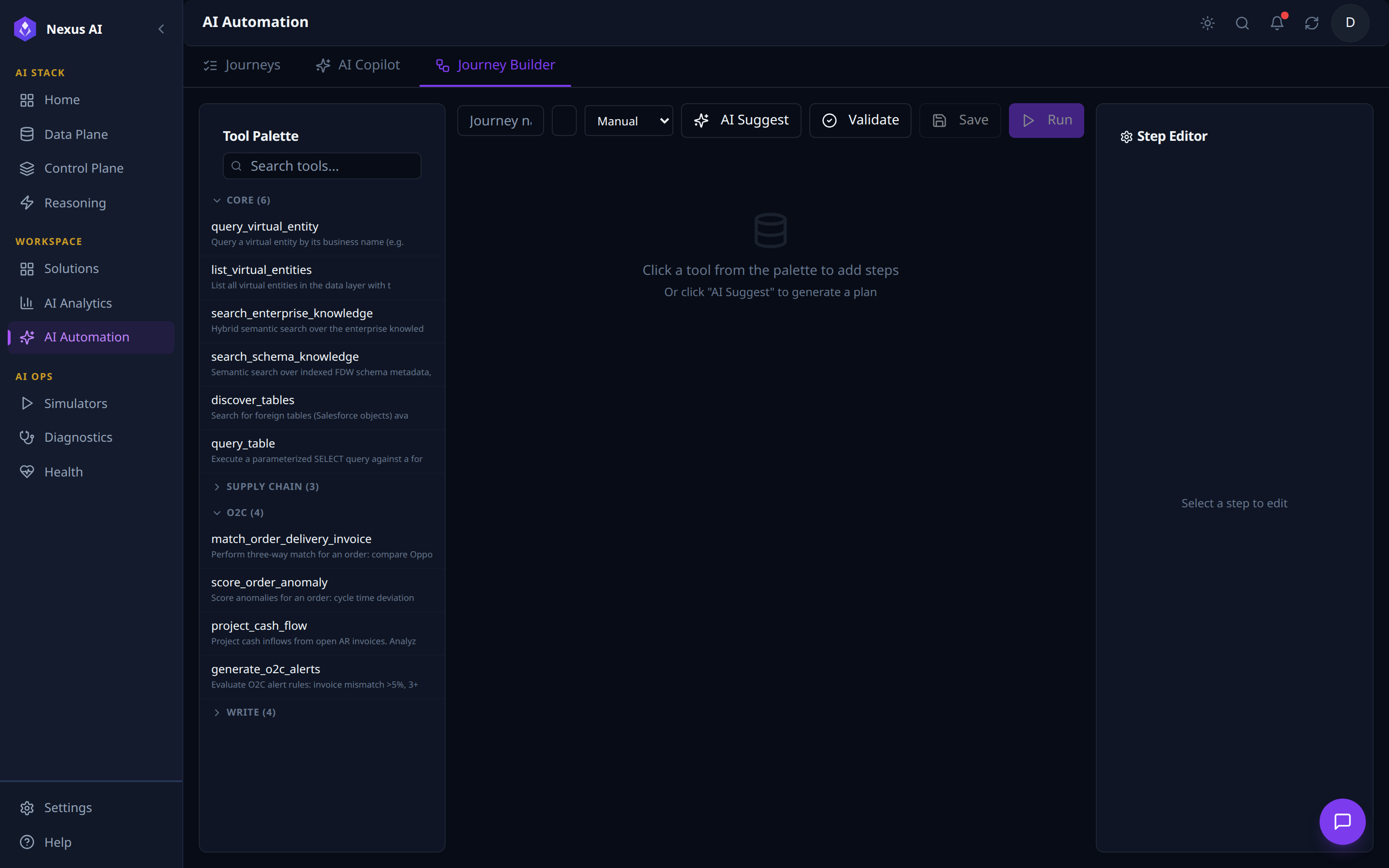
- Top toolbar: journey metadata, trigger type (
Manual/Schedule/Webhook), run controls (AI Suggest,Validate,Save,Run). - Tool Palette (left): every registered tool grouped by category with per-category counts and free-text search.
- Canvas (centre): step graph; populated by clicking a tool or invoking AI Suggest.
- Step Editor (right): per-step inputs, outputs, policy settings.
Journey Studio
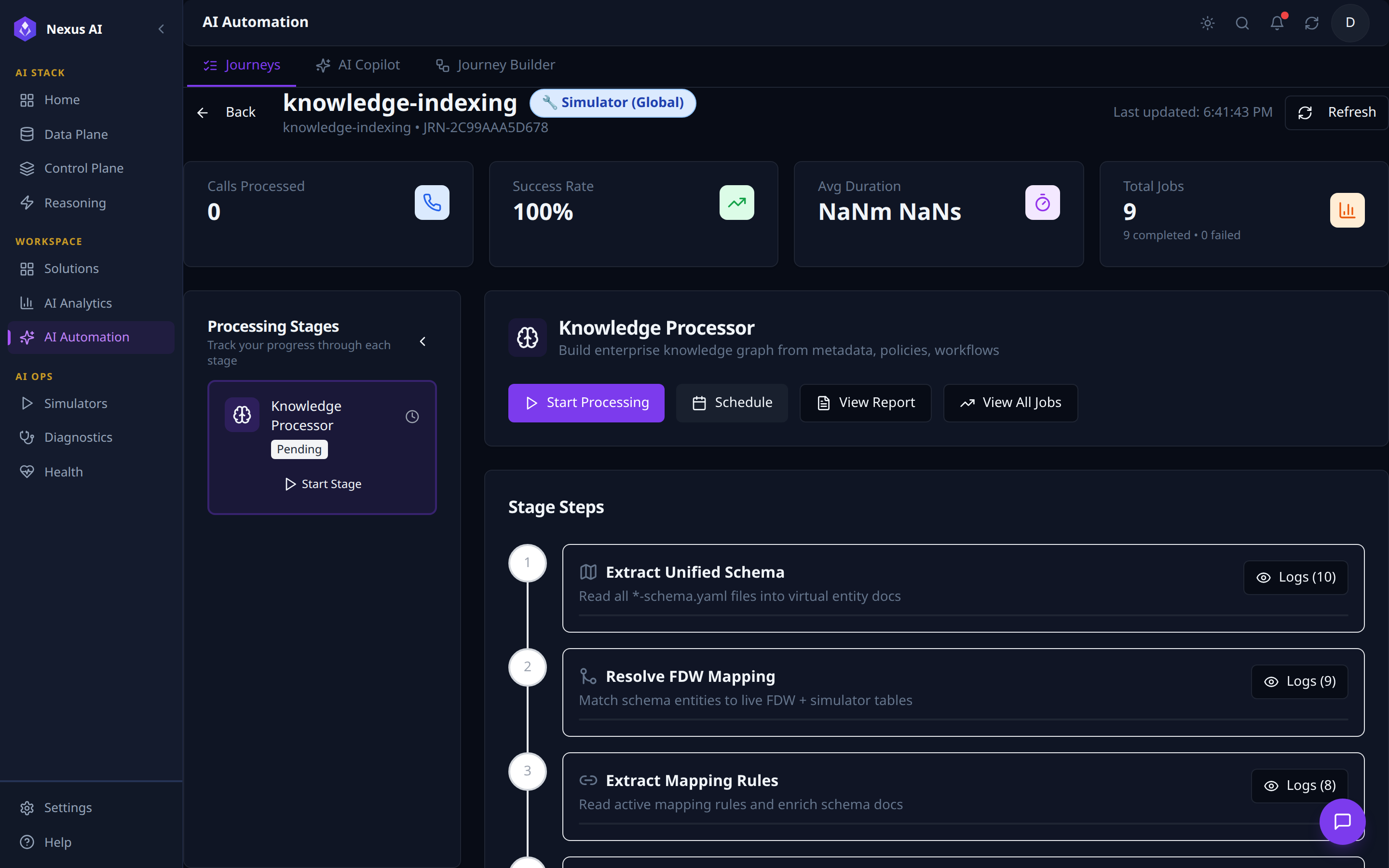
- Header — name, scope badge (Simulator / Production), id, last-updated, refresh, back.
- KPI tiles — processed volume, success rate, average duration, totals (with completed / failed breakdown).
- Processing Stages (left) — per-stage card with status badge and
Start Stageaction. - Stage detail (centre) — description and run controls (
Start Processing,Schedule,View Report,View All Jobs). - Stage Steps — ordered execution graph with per-step
Logsdrill-in.
Related References
- Reasoning Plane — the ad-hoc agent loop. AI Automation is the production-workflow counterpart.
- Solutions Catalogue — each Solution's Workflow Actions are powered by Journeys defined here.
- AI Analytics — many Dashboards and Views surface Journey run metrics.
- Developer > MCP Tools — the MCP-side runtime:
journeys_tool,run_jobs_tool,logs_and_reports_tool. - Implementation Guide — production code mapping.