Troubleshooting Guide
This guide helps you diagnose and resolve common issues with the NexusAI Deployer.
Application Issues
Application Won't Start
Symptoms: - Application doesn't open - Splash screen appears then closes - Error message on startup
Solutions:
- Check system requirements
- Windows 10/11, macOS 10.15+, or Linux
- 4GB RAM minimum
-
500MB disk space
-
Run as administrator (Windows)
-
Right-click → Run as administrator
-
Check antivirus
- Add application to exclusions
-
Temporarily disable and test
-
Reinstall application
- Uninstall completely
- Download fresh installer
- Install again
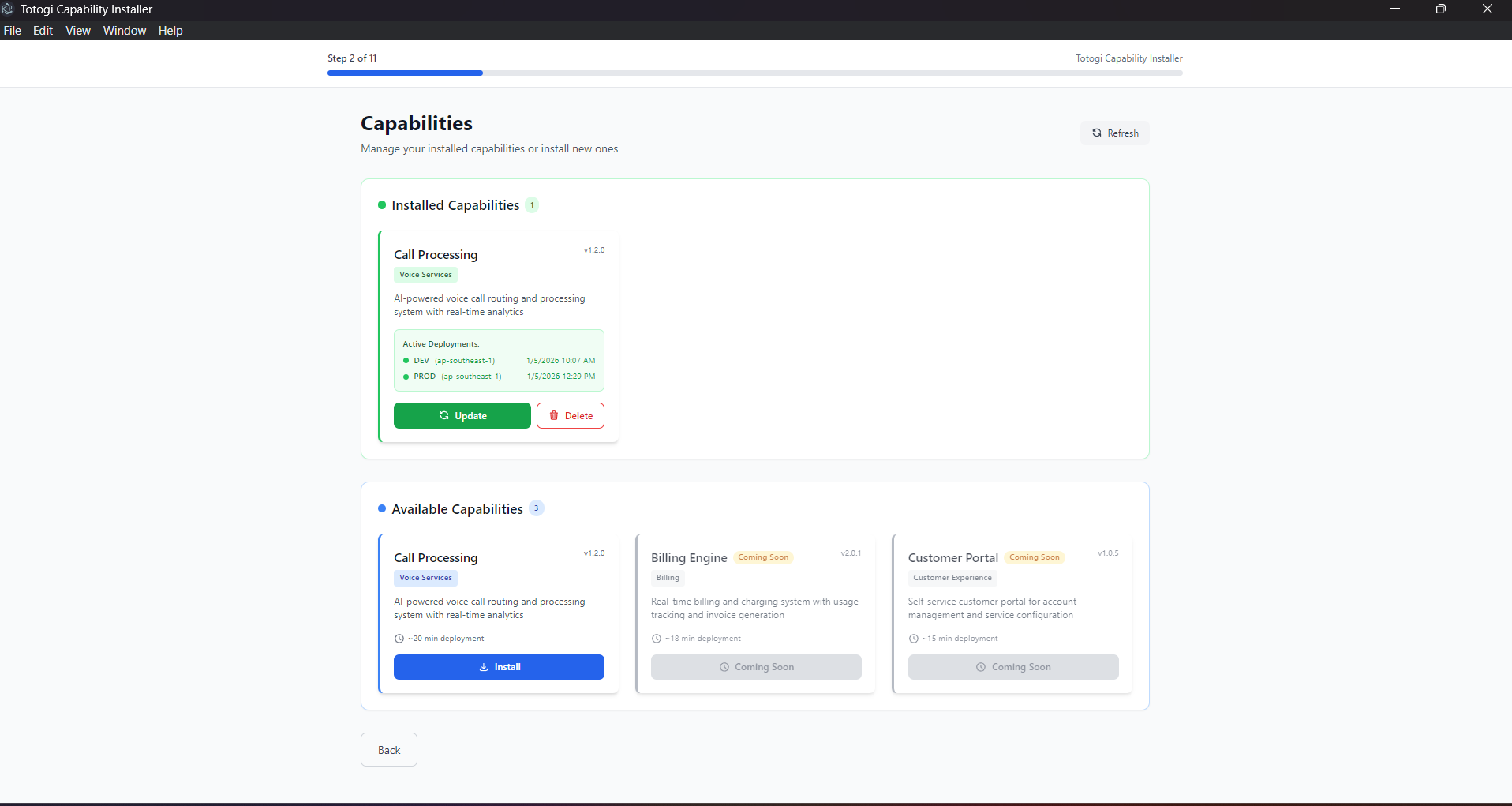
"Failed to Load Capabilities"
Symptoms: - Capability list is empty - Error message about backend connection
Expected View:
Solutions:
- Check network connection
- Verify internet access
-
Check firewall settings
-
Restart application
- Close completely
- Wait 10 seconds
-
Reopen
-
Check proxy settings
- Configure system proxy
- Set HTTP_PROXY environment variable
Application Freezes
Symptoms: - UI becomes unresponsive - "Not Responding" in title bar
Solutions:
- Wait for operation to complete
- Some operations take time
-
Check progress indicators
-
Force close and restart
- Task Manager → End Task (Windows)
-
Force Quit (macOS)
-
Check system resources
- Close other applications
- Free up memory
Authentication Issues
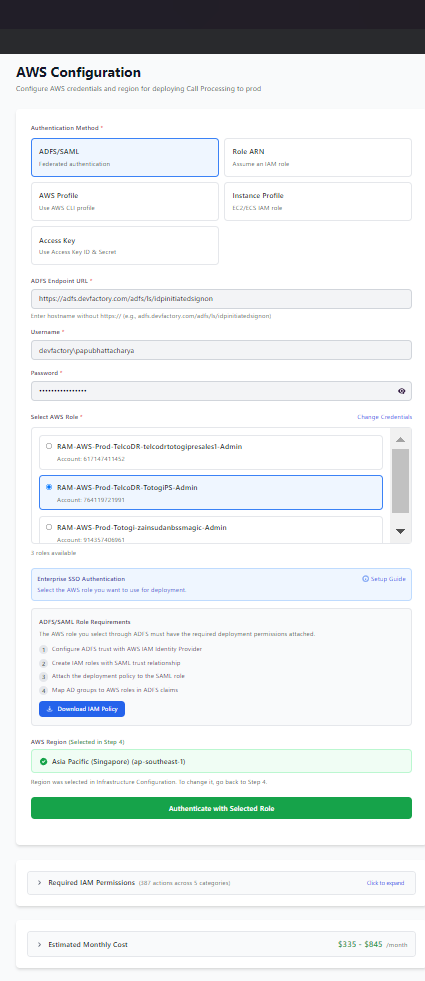
"Access Denied" Error
Symptoms: - Credential validation fails - "Access Denied" message
Where This Occurs:
Solutions:
- Verify credentials
- Check Access Key ID is correct
- Verify Secret Access Key
-
Ensure no extra spaces
-
Check IAM permissions
- Verify policy is attached
- Check for explicit denies
-
Review permission boundaries
-
Check account status
- Ensure account is active
- Verify no billing issues
"Invalid Role ARN"
Symptoms: - Role assumption fails - "Invalid ARN" error
Solutions:
-
Verify ARN format
-
Check role exists
- Open IAM Console
-
Verify role is present
-
Check trust policy
- Role must trust your source credentials
- Verify principal is correct
"Session Expired"
Symptoms: - Operations fail mid-deployment - "Credentials expired" error
Solutions:
- Re-authenticate
- Go back to AWS Configuration
- Enter credentials again
-
Validate before continuing
-
For ADFS users
- Sessions expire after 1 hour
-
Re-authenticate if deployment is long
-
Use longer session duration
- Configure role with longer max session
- Up to 12 hours for IAM roles
"MFA Required"
Symptoms: - Authentication fails - "MFA token required" error
Solutions:
- Use MFA-enabled authentication
- Get MFA code from authenticator
-
Enter when prompted
-
Use role assumption
- Create role without MFA requirement
- Assume role from MFA-protected user
Permission Verification Issues
Verification Checks Failing
What You'll See:
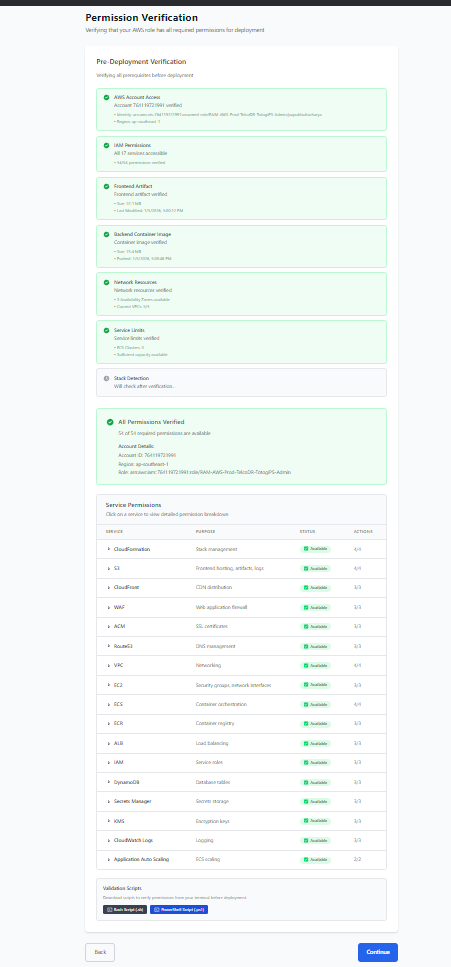
Status Indicators: - ⏳ Checking - Verification in progress - ✅ Passed - Check successful - ❌ Failed - Check failed (see details) - ⚠️ Warning - Non-blocking issue
Common Verification Failures
| Check | Common Cause | Solution |
|---|---|---|
| AWS Account Access | Invalid credentials | Re-enter credentials |
| IAM Permissions | Missing policy | Attach required policy |
| Frontend Artifact | S3 access denied | Check S3 permissions |
| Backend Image | ECR access denied | Check ECR permissions |
| Network Resources | VPC limits | Request limit increase |
| Service Limits | ECS quota exceeded | Request quota increase |
Handling Failures
- Review the error message
- Click "View Details" for more information
- Fix the issue in AWS Console
- Click Re-verify to check again
Deployment Issues
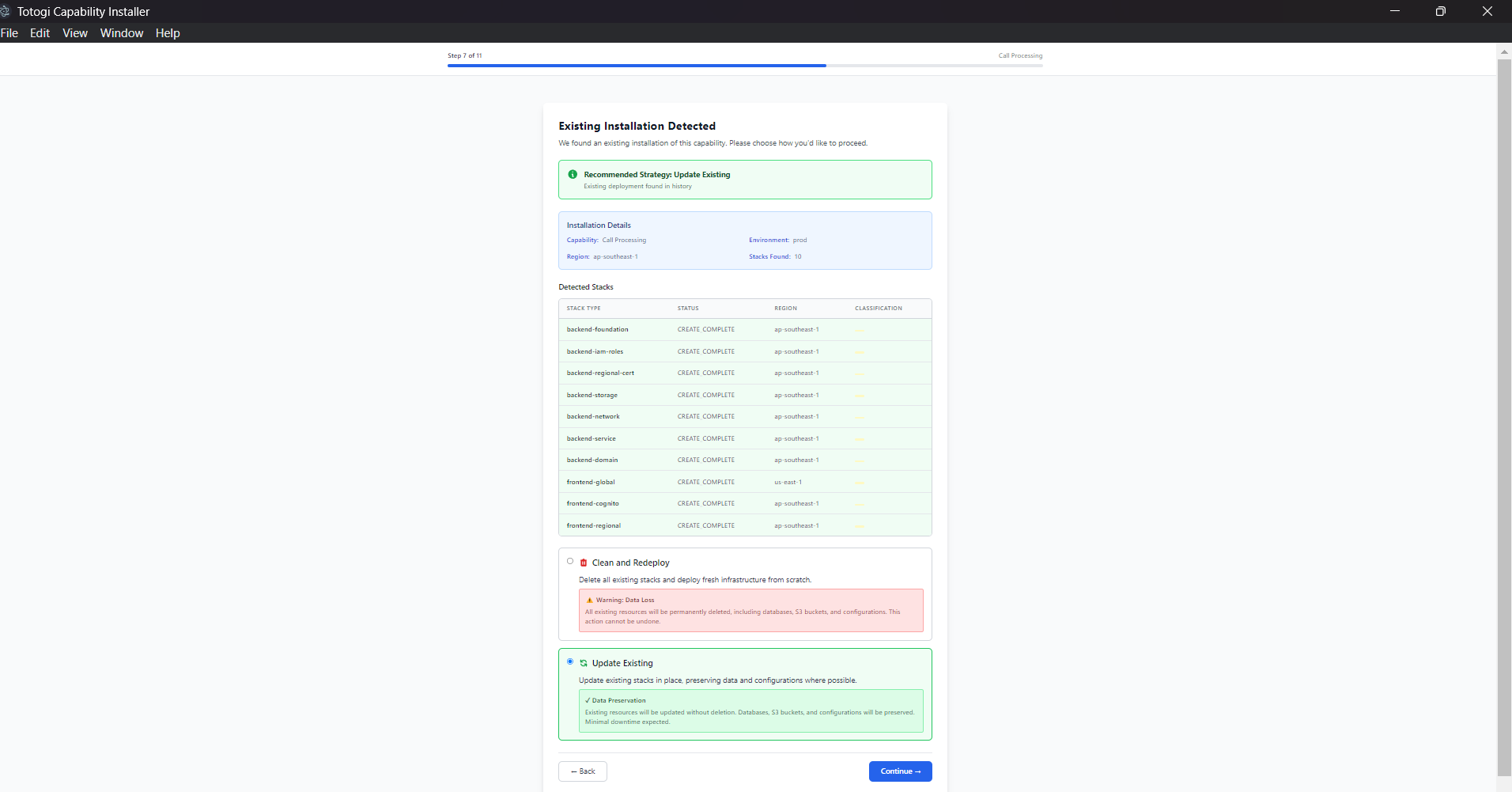
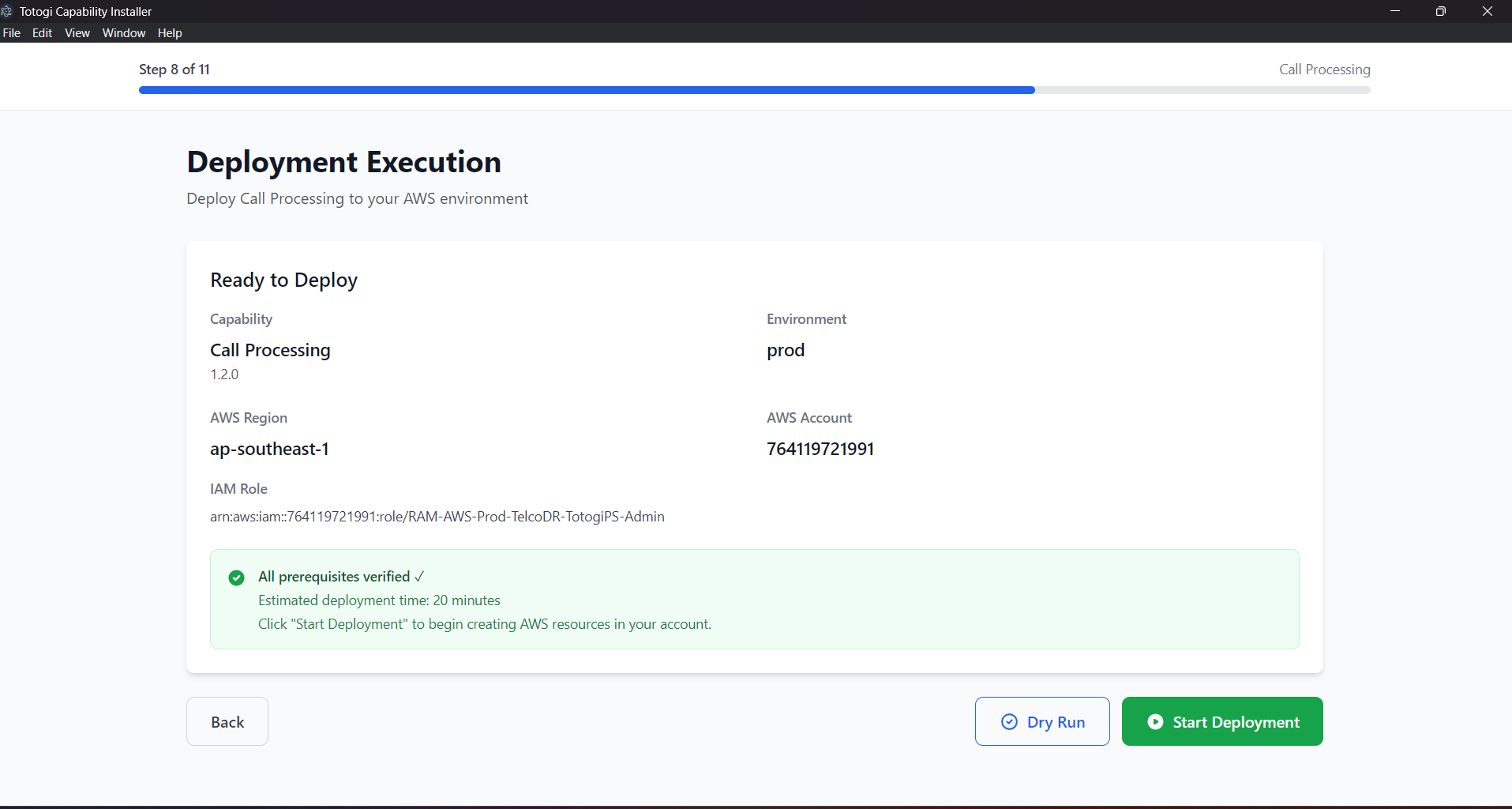
Deployment Stuck at 0%
Symptoms: - Progress bar doesn't move - No logs appearing
Expected View:
Solutions:
- Check network connectivity
- Verify AWS API access
-
Check firewall rules
-
Verify credentials are valid
- Go back and re-validate
-
Check session hasn't expired
-
Check CloudFormation in AWS Console
- May show more details
- Look for stack events
"Stack Already Exists"
Symptoms: - Deployment fails immediately - "Stack already exists" error
Solutions:
- Use Update instead of Install
- Go to Capability Selection
-
Click Update on existing capability
-
Delete existing stack first
- Use Delete action
-
Then try Install again
-
Use Clean Deploy strategy
- Automatically handles existing stacks
"Resource Limit Exceeded"
Symptoms: - Deployment fails - "Limit exceeded" error
Solutions:
- Check service quotas
- AWS Console → Service Quotas
-
Request increase if needed
-
Common limits:
- VPCs per region: 5
- Elastic IPs: 5
- ECS clusters: 10000
-
S3 buckets: 100
-
Clean up unused resources
- Delete old deployments
- Remove orphaned resources
"Certificate Validation Failed"
Symptoms: - Deployment stuck at certificate step - "Pending validation" status
Solutions:
- Check Route53 hosted zone
- Verify zone ID is correct
-
Ensure domain matches
-
Check DNS records
- CNAME records should be created
-
May take up to 30 minutes
-
Manual validation
- Go to ACM Console
- Check validation status
- Create DNS records manually if needed
"ECS Tasks Not Starting"
Symptoms: - Deployment completes but service unhealthy - Tasks keep stopping
Solutions:
-
Check container logs
-
Verify container image
- Check ECR repository
-
Ensure image exists and is accessible
-
Check task definition
- Memory/CPU settings
- Environment variables
-
Health check configuration
-
Check security groups
- Allow inbound on health check port
- Allow outbound to required services
Post-Deployment Issues
Health Checks Failing
What You'll See:
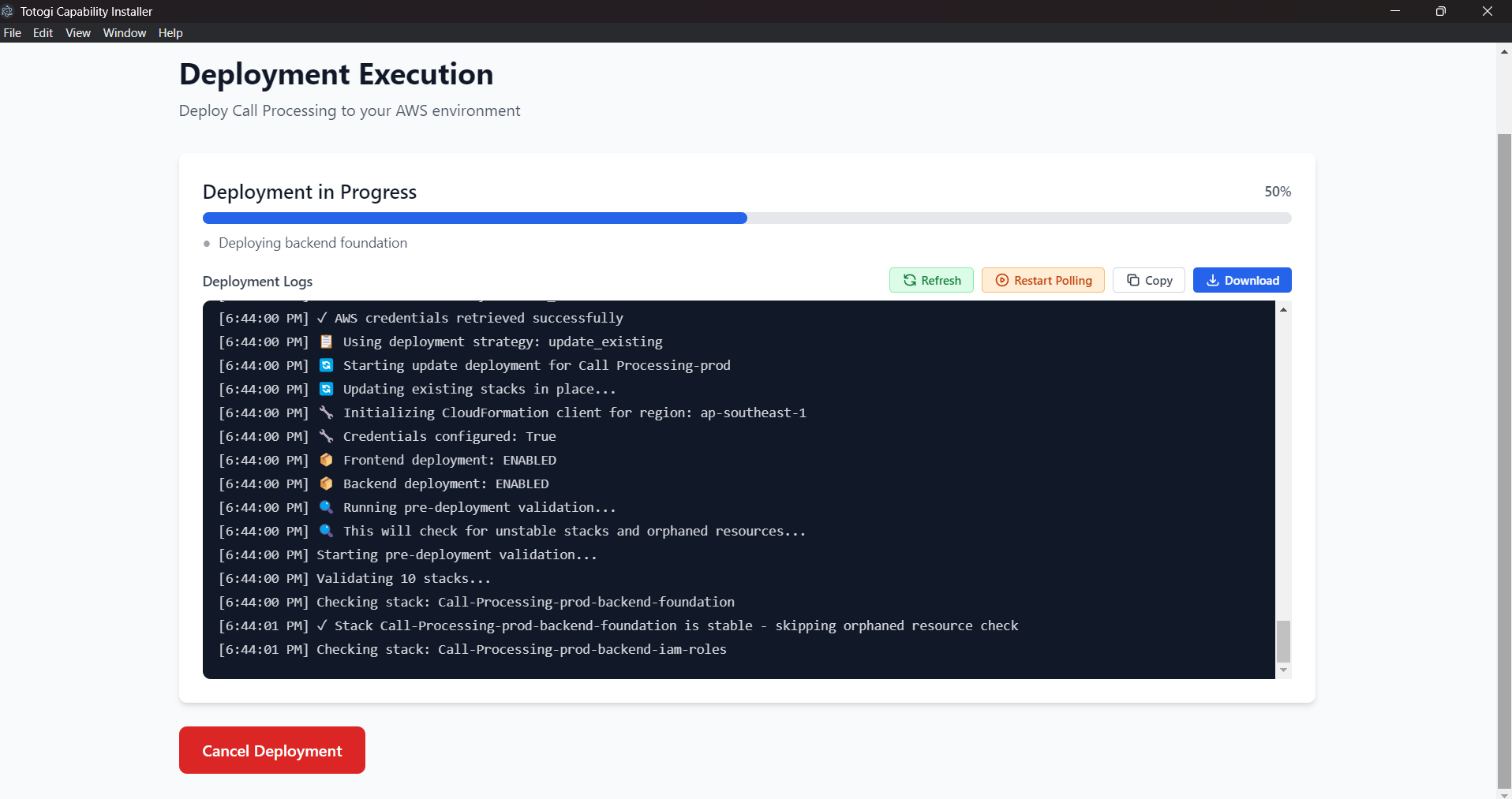
Status Indicators: - ✅ Healthy - Service is operational - ⚠️ Degraded - Service has issues - ❌ Unhealthy - Service is down
Solutions:
- Wait and retry
- Services may still be starting
-
Click "Re-verify"
-
Check individual services
- Open URLs directly
-
Check for specific errors
-
Review CloudWatch logs
- Application errors
- Connection issues
Application Not Accessible
Symptoms: - Frontend URL returns error - "Site can't be reached"
Solutions:
- Wait for DNS propagation
- Can take up to 48 hours
-
Usually 5-15 minutes
-
Check CloudFront distribution
- Status should be "Deployed"
-
Check origin configuration
-
Verify S3 bucket
- Files should be uploaded
- Bucket policy allows CloudFront
"502 Bad Gateway"
Symptoms: - Application loads but shows 502 - API calls fail
Solutions:
- Check ECS service
- Tasks should be running
-
Health checks passing
-
Check ALB target group
- Targets should be healthy
-
Check health check path
-
Check security groups
- ALB can reach ECS tasks
- Correct ports are open
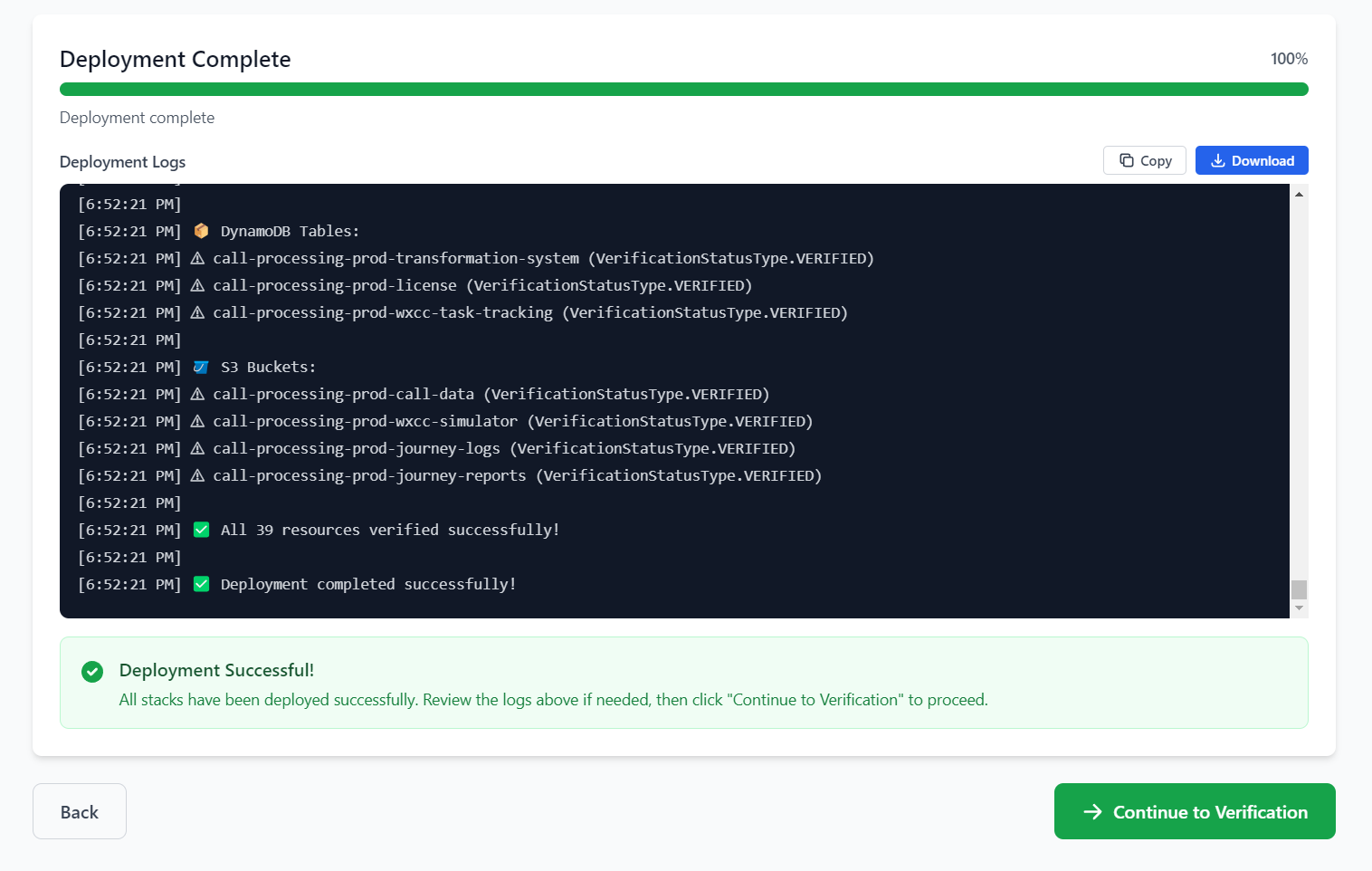
Login Not Working
Symptoms: - Can't log in with admin credentials - "Incorrect username or password"
Check Your Credentials:
Solutions:
- Verify credentials
- Check Results screen for correct values
-
Credentials are case-sensitive
-
Check Cognito User Pool
- User should exist
-
Status should be "Confirmed"
-
Reset password
- Use Cognito Console
- Admin → Reset password
Recovery Procedures
Recovering from Failed Deployment
- Review error message
- Note the specific error
-
Check which stack failed
-
Check CloudFormation Console
- View stack events
-
Find root cause
-
Choose recovery strategy
- Retry: If transient error
- Clean Deploy: If stack is corrupted
- Manual fix: If specific resource issue
Recovering from DELETE_FAILED
-
Identify stuck resources
-
Manually delete resources
- Disable deletion protection
- Empty S3 buckets
-
Remove dependencies
-
Retry deletion
Recovering from UPDATE_ROLLBACK_COMPLETE
- Review what caused failure
- Check CloudFormation events
-
Identify problematic change
-
Options:
- Fix and retry: If you can fix the issue
- Clean Deploy: If stack is too corrupted
- Rollback manually: Revert configuration
Getting Help
Information to Collect
When contacting support, provide:
- Deployment ID from the installer
- Error messages (screenshots or text)
- Deployment logs (download from installer)
- CloudFormation events (from AWS Console)
- Application version
- Operating system
Log Locations
Application logs:
- Windows: %APPDATA%\NexusAI Installer\logs\
- macOS: ~/Library/Logs/NexusAI Installer/
- Linux: ~/.config/NexusAI Installer/logs/
AWS logs: - CloudFormation: AWS Console → CloudFormation → Events - ECS: CloudWatch → Log groups → /ecs/capability- - Application: CloudWatch → Log groups → /aws/application/
Support Channels
- Documentation: This user guide
- Support Portal: support.nexus.ai
- Email: support@nexus.ai
Common Error Messages
| Error | Cause | Solution |
|---|---|---|
| "Access Denied" | Missing permissions | Check IAM policy |
| "Stack already exists" | Previous deployment | Use Update or Delete first |
| "Resource limit exceeded" | AWS quota reached | Request limit increase |
| "Certificate validation failed" | DNS not configured | Check Route53 |
| "Task failed to start" | Container issue | Check ECS logs |
| "502 Bad Gateway" | Backend not responding | Check ECS service health |
| "Session expired" | Credentials timed out | Re-authenticate |
| "Invalid ARN" | Malformed role ARN | Check ARN format |
Next Steps
- AWS Configuration - Detailed AWS setup
- Managing Deployments - Update and delete deployments
- FAQ - Frequently asked questions